Odysseus: Self-Hosted AI Workspace with 10+ Built-in Tools — 65,000 Stars — Full Setup Guide 2026
┌──────────────────────────────────────────────────┐
│              Odysseus Architecture                 │
│                                                   │
│  ┌─────────┐  ┌──────────┐  ┌─────────────────┐  │
│  │  Chat   │  │  Agent   │  │    Cookbook     │  │
│  │ (API)   │  │ (Tools)  │  │ (Model Server)│  │
│  └────┬────┘  └────┬─────┘  └────────┬────────┘  │
│       │             │                  │           │
│       ▼             ▼                  ▼           │
│  ┌───────────────────────────────────────────────┐ │
│  │           Python Backend (FastAPI)             │ │
│  │  ChromaDB │ SearXNG │ ntfy │ .env config    │ │
│  └───────────────────────────────────────────────┘ │
│       │             │                  │           │
│       ▼             ▼                  ▼           │
│  ┌───────────────────────────────────────────────┐ │
│         Docker Compose Stack                     │ │
│  ┌────────┐ ┌──────────┐ ┌────────┐ ┌─────────┐ │
│  │ Odysseus│ │ChromaDB  │ │SearXNG │ │ ntfy    │ │
│  └────────┘ └──────────┘ └────────┘ └─────────┘ │
│                                                   │
│  ┌───────────────────────────────────────────────┐ │
│  │        Frontend: Responsive Web UI (PWA)      │ │
│  └───────────────────────────────────────────────┘ │
└──────────────────────────────────────────────────┘
Odysseus is a self-hosted AI workspace that brings together 10+ integrated tools into a single, privacy-first interface. Created by the developer known as pewdiepie-archdaemon, it has already surpassed 65,000 GitHub stars since its creation on May 31, 2026 — one of the fastest-growing AI projects in GitHub history.
Unlike ChatGPT or Claude which require you to hand over your data, Odysseus runs entirely on your own hardware. You connect your own API keys or serve local models yourself. The project describes itself as “the self-hosted version of the UI experience you get from ChatGPT and Claude, but with more jank and fun.”
This guide covers everything: architecture breakdown, Docker and native installation, model configuration, agent setup, deep research, and production hardening.
What Is Odysseus?
Odysseus is a full-stack AI workspace built on Python (FastAPI backend, responsive web frontend). It is designed for users who want the convenience of a unified AI interface — like ChatGPT’s multi-model chat — while maintaining complete data sovereignty.
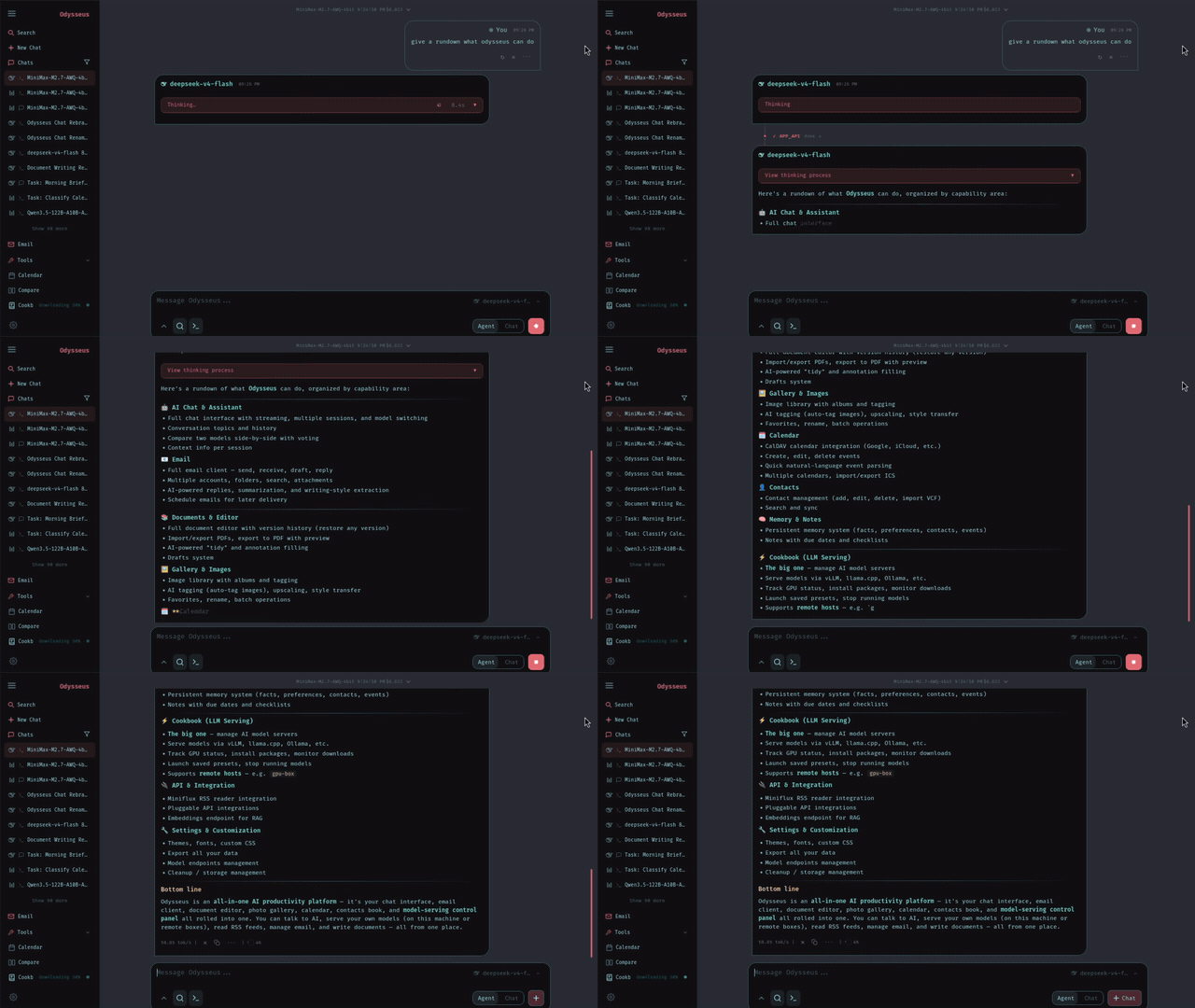
The project integrates the following capabilities in a single web application: | Feature | Description | Built On | |
|
|
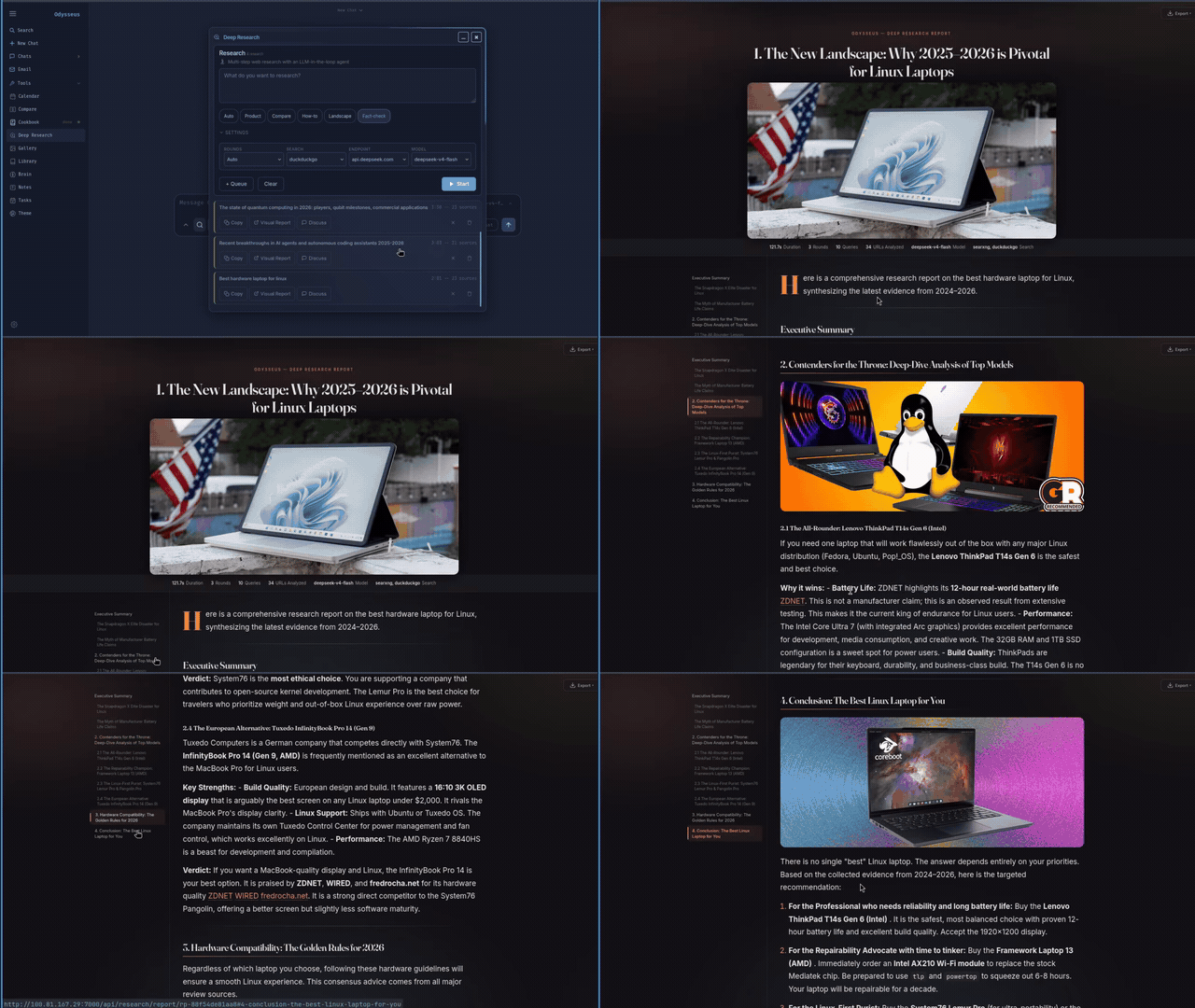
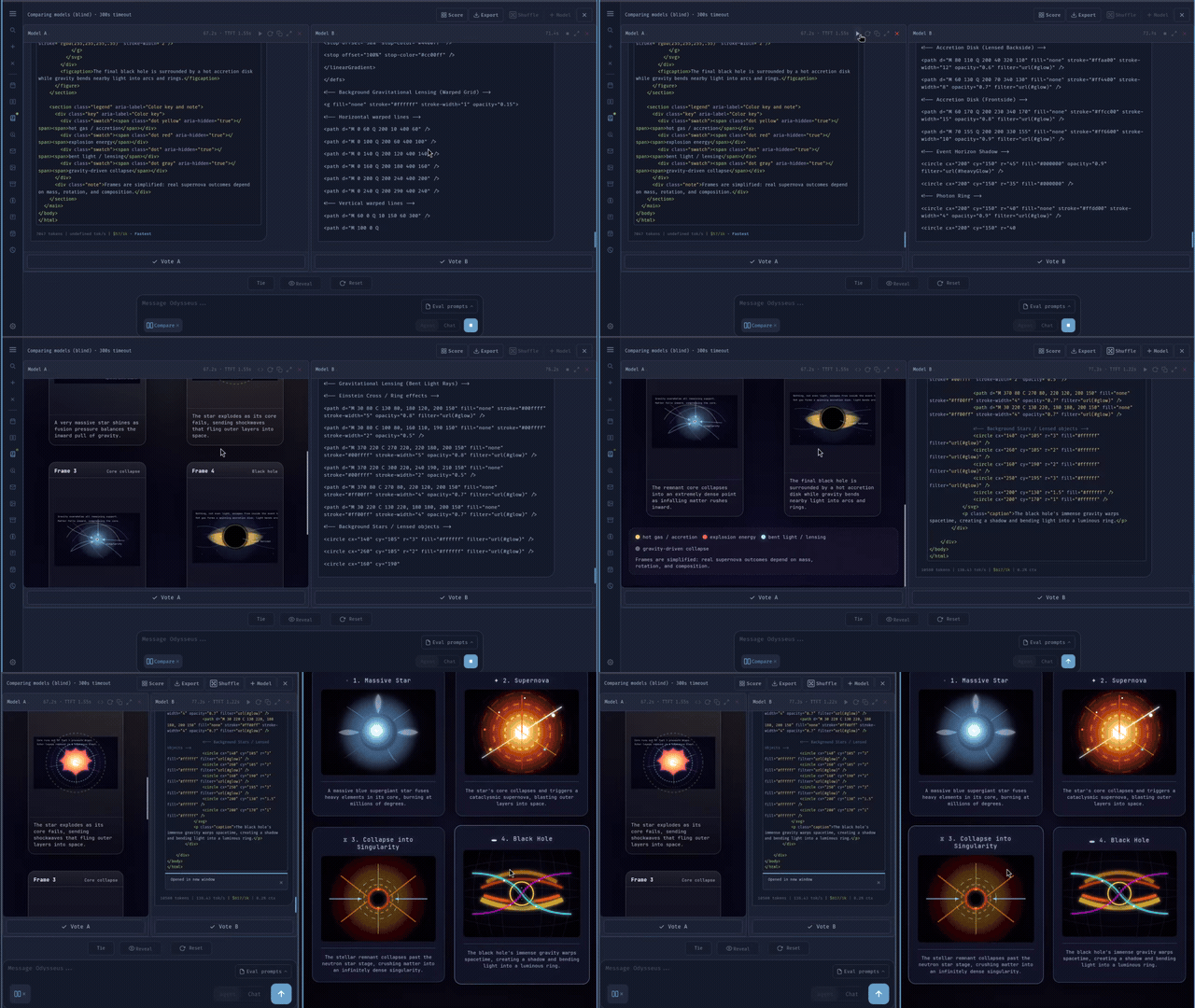
| | Chat | Multi-model conversations | vLLM, llama.cpp, Ollama, OpenRouter, OpenAI, GitHub Copilot | | Agent | Tool-using autonomous agent | OpenCode, MCP, web, files, shell, skills, memory | | Cookbook | Hardware-aware model downloader and server | llmfit, VRAM-aware, GGUF/FP8/AWQ | | Deep Research | Multi-step research with source synthesis | Adapted from Alibaba’s Tongyi DeepResearch | | Compare | Blind multi-model comparison tests | Multi-model synthesis | | Documents | Multi-tab text editor with AI assistance | Markdown, HTML, CSV, syntax highlighting | | Memory/Skills | Persistent memory with vector + keyword retrieval | ChromaDB, fastembed (ONNX) | | Email | IMAP/SMTP inbox with AI triage | IMAP, SMTP, CalDAV-aware | | Notes & Tasks | Todo list, reminders, cron-style tasks | ntfy, browser, email channels | | Calendar | Local-first calendar with CalDAV sync | CalDAV, .ics import/export | | Extras | Image editor, theme editor, file uploads, 2FA | Vision + PDF support |
How Odysseus Works
Odysseus operates as a layered architecture. The backend is a Python FastAPI application that orchestrates model inference, tool execution, and database queries. The frontend is a responsive web UI that works on both desktop and mobile (installable as a PWA).
Client (Browser/PWA)
    │
    ▼
┌─────────────────────────┐
│     Web UI (Frontend)    │
│  Chat / Agent / Docs /   │
│  Email / Calendar / etc. │
└─────────┬───────────────┘
          │ WebSocket / REST API
          ▼
┌─────────────────────────┐
│   FastAPI Backend        │
│  • Chat handler          │
│  • Agent executor        │
│  • Cookbook manager      │
│  • Deep research engine  │
└─────────┬───────────────┘
          │
    ┌─────┼──────────┬──────────┐
    ▼     ▼          ▼          ▼
  vLLM  Ollama    SearXNG   ChromaDB
 (GPU)  (CPU)    (Search)  (Memory)
The Cookbook component is particularly noteworthy — it scans your hardware to detect available GPUs, then recommends and downloads compatible models in GGUF, FP8, or AWQ formats. This eliminates the common pain point of figuring out which model fits your VRAM.
For agents, Odysseus is built on OpenCode and supports MCP (Model Context Protocol) for tool integration. This means your agent can interact with your files, shell, web search, and custom skills autonomously.
Installation & Setup
Docker (Recommended)
Docker is the easiest and most reliable way to run Odysseus. The project provides a complete Docker Compose stack that includes the app, ChromaDB for memory, SearXNG for web search, and ntfy for notifications.
# Clone the repository (use dev branch for latest features)
git clone https://github.com/pewdiepie-archdaemon/odysseus.git
cd odysseus

# Copy the example environment file (recommended)
cp .env.example .env

# Optional: configure explicit defaults
# APP_BIND=127.0.0.1
# APP_PORT=7000
# AUTH_ENABLED=true

# Start the stack
docker compose up -d --build
After starting, open http://localhost:7000. On first setup, Odysseus creates an admin account (admin unless ODYSSEUS_ADMIN_USER is set) and prints a temporary password in the terminal.
To include optional extras (PDF viewer, Office extraction with AGPL PyMuPDF): `````bash docker compose build –build-arg INSTALL_OPTIONAL=true docker compose up -d –build
To enable GPU passthrough for NVIDIA GPUs: `````bash
# Diagnose GPU passthrough
scripts/check-docker-gpu.sh

# Install NVIDIA Container Toolkit if needed
scripts/check-docker-gpu.sh --install-nvidia-toolkit

# Enable GPU overlay
scripts.check-docker-gpu.sh --enable-nvidia-overlay
For AMD/ROCm: `````bash scripts/check-docker-amd-gpu.sh
Then edit ````.env```` to add the overlay and your host's render group ID.

### Native Linux/macOS Installation

If you prefer not to use Docker: `````bash
git clone https://github.com/pewdiepie-archdaemon/odysseus.git
cd odysseus

# Create Python virtual environment
python3 -m venv venv
source venv/bin/activate

# Install dependencies
pip install -r requirements.txt

# Run initial setup
python setup.py

# Start the server
python -m uvicorn app:app --host 127.0.0.1 --port 7000
Requirements: Python 3.11+. The app itself is lightweight; local model serving is the heavy part depending on your model, runtime, GPU, and VRAM.
Apple Silicon (macOS with GPU)
Docker on macOS cannot use Metal GPU. For GPU-accelerated local model serving on M-series Macs: `````bash git clone https://github.com/pewdiepie-archdaemon/odysseus.git cd odysseus
The bundled script handles venv + dependencies + startup
./start-macos.sh
This launches at ``http://127.0.0.1:7860``. To expose to phone over Tailscale: `````bash
ODYSSEUS_HOST=0.0.0.0 ./start-macos.sh
Building a Desktop App
You can package Odysseus as a native desktop app wrapper: `````bash ./build-macos-app.sh
## Configuration & Model Setup

After installation, configure your AI models through the web UI's **Settings** panel. You can add any of these providers: `````yaml
# Example .env configuration for multi-provider setup
APP_BIND=127.0.0.1
APP_PORT=7000
AUTH_ENABLED=true
DATABASE_URL=sqlite:///./odysseus.db

# OpenAI-compatible API
OPENAI_API_KEY=sk-your-key-here
OPENAI_BASE_URL=https://api.openai.com/v1

# Anthropic
ANTHROPIC_API_KEY=sk-ant-your-key-here

# Ollama (local)
OLLAMA_BASE_URL=http://localhost:11434

# OpenRouter
OPENROUTER_API_KEY=sk-or-your-key-here
The Cookbook provides a GUI-assisted way to download and serve models. It detects your GPU VRAM and suggests appropriate models. For API-only usage (no local models), simply skip the Cookbook and connect to your preferred API provider.
Adding Custom Models
# List available models in Cookbook
odysseus cookbook list

# Download a model (auto-detects best format for your hardware)
odysseus cookbook download mistral-7b

# Start serving a local model
odysseus cookbook serve llama-3.1-8b
Integration with Other Tools
OpenCode Agent Framework
Odysseus agents are built on OpenCode, giving them the ability to use tools autonomously. You can configure MCP servers to connect external tools: `````bash
Configure MCP in .env
MCP_SERVERS=http://localhost:3000,mcp://your-server
Your agent can then use: # - File tools (read/write/search)
- Shell execution
- Web search
- Custom skills
### ChromaDB for Persistent Memory

Odysseus includes ChromaDB for vector-based persistent memory. Your agent remembers previous conversations and can retrieve context using both vector similarity and keyword search: `````bash
# Memory import/export
odysseus memory export --output memory.json
odysseus memory import --input memory.json

# The memory system uses: # - ChromaDB for vector storage
# - fastembed (ONNX) for embeddings
# - Combined vector + keyword retrieval
SearXNG Web Search
For agents that need web research, Odysseus bundles SearXNG (a privacy-respecting metasearch engine). This means AI agents can search the web without exposing your queries to Google or Bing: `````bash
SearXNG is included in the Docker stack
Access it at: http://localhost:8888 (inside Docker network)
Agent web search uses it automatically
### Email Integration

Odysseus includes a full IMAP/SMTP inbox with AI-powered triage: `````yaml
# Email config in .env
EMAIL_IMAP_SERVER=imap.gmail.com
EMAIL_IMAP_PORT=993
EMAIL_SMTP_SERVER=smtp.gmail.com
EMAIL_SMTP_PORT=587
[email protected]
EMAIL_PASSWORD=app-password
The AI can automatically: summarize emails, flag urgency, draft replies, auto-tag, and filter spam.
Benchmarks & Real-World Use Cases
Resource Usage Comparison
| Component | Docker | Native (no models) | |
|
|
| | RAM | ~200 MB | ~50 MB | | Disk | ~500 MB (base) | ~100 MB | | Startup | ~5 sec | ~1 sec | | GPU passthrough | Supported | Native only (Metal) |
Deep Research Performance
Odysseus’s deep research feature (adapted from Alibaba’s Tongyi DeepResearch) performs multi-step research workflows: ````` Research Task: “Compare RAG vs. fine-tuning for enterprise QA”
Step 1: Web search (SearXNG) → 15 sources Step 2: Read & extract key points → 8 documents Step 3: Synthesize into report → 5-page summary Step 4: Visualize with charts → auto-generated
This is particularly useful for researchers, analysts, and anyone who needs to synthesize information from multiple sources into a structured report.

### Model Comparison Mode

The Compare feature allows blind A/B testing of different models side by side: `````
Prompt: "Write a Python binary search implementation"

Model A: [hidden] → Response
Model B: [hidden] → Response

User selects best response → rankings updated
This eliminates brand bias when evaluating which model works best for your use case.
Advanced Usage / Production Hardening
Multi-User Setup
# Enable authentication (default)
AUTH_ENABLED=true

# Set custom admin user
ODYSSEUS_ADMIN_USER=yourusername

# Set admin password via .env
ODYSSEUS_ADMIN_PASSWORD=secure-password

# After first login, disable temporary password requirement
# via Settings panel
Reverse Proxy Configuration
For production deployment behind a reverse proxy: `````nginx server { listen 443 ssl; server_name ai.yourdomain.com;
ssl_certificate /etc/letsencrypt/live/ai.yourdomain.com/fullchain.pem;
ssl_certificate_key /etc/letsencrypt/live/ai.yourdomain.com/remote.key;

location / {
    proxy_pass http://127.0.0.1:7000;
    proxy_set_header Host $host;
    proxy_set_header X-Real-IP $remote_addr;
    proxy_set_header X-Forwarded-For $proxy_add_x_forwarded_for;
    proxy_set_header X-Forwarded-Proto $scheme;
    proxy_http_version 1.1;
    proxy_set_header Upgrade $http_upgrade;
    proxy_set_header Connection "upgrade";
}
}
### Docker Compose for Production

`````yaml
# docker-compose.prod.yml
services: odysseus: image: pewdiepie-archdaemon/odysseus:latest
    restart: unless-stopped
    ports: - "127.0.0.1:7000:7000"
    volumes: - ./data:/app/data
      - ./config:/app/config
    env_file: .env
    deploy: resources: reservations: devices: - driver: nvidia
              count: 1
              capabilities: [gpu]
Backup Strategy
# Backup ChromaDB (memory) and configuration
tar czf odysseus-backup-$(date +%Y%m%d).tar.gz \
  data/ \
  config/ \
  .env \

# ChromaDB data persists in: ./data/chroma/
# SQLite database: ./odysseus.db
Comparison with Alternatives
| Feature | Odysseus | ChatGPT | Claude | NotebookLM | Open WebUI | |
|
|
|
|
|
| | Self-hosted | ✅ Full | ❌ Cloud only | ❌ Cloud only | ❌ Cloud only | ✅ Partial | | Built-in agent | ✅ OpenCode/MCP | ✅ GPTs | ✅ Computer Use | ❌ No | ✅ Limited | | Deep research | ✅ Built-in | ✅ Plus only | ✅ | ✅ Built-in | ❌ No | | Email integration | ✅ IMAP/SMTP | ❌ No | ❌ No | ❌ No | ❌ No | | Calendar sync | ✅ CalDAV | ❌ No | ❌ No | ❌ No | ❌ No | | Local models | ✅ vLLM/llama.cpp | ❌ No | ❌ No | ❌ No | ✅ Partial | | Memory persistence | ✅ ChromaDB | ✅ Plus only | ❌ No | ❌ No | ✅ Partial | | Mobile PWA | ✅ Full | ✅ Yes | ✅ Yes | ✅ Yes | ✅ Yes | | Cost | Free (self-hosted) | $20/mo | $20/mo | Free | Free |
Limitations / Honest Assessment
While Odysseus is impressive, it has some limitations to be aware of: 1. New project (created May 31, 2026) — Despite 65,000+ stars, Odysseus is extremely young. Expect bugs, breaking changes, and incomplete documentation. The dev branch is the default but “may be unstable.”
GPU support is Docker/NVIDIA-focused — AMD ROCm support exists but requires manual
.envconfiguration. Apple Silicon requires native install (no Docker GPU).No official container image yet — You must build from source (
git clone+ ````docker compose build```). An official Docker Hub image would simplify deployment.Cookbook model selection is limited — While VRAM-aware, the Cookbook downloads from HuggingFace which can be slow for large models. No built-in model registry with curated quality scores.
Agent capabilities are still maturing — Built on OpenCode, the agent can use tools but lacks the extensive plugin ecosystem of more mature frameworks.
Mobile experience is “responsive” — The project states it “looks and runs great on your phone” but as a web-first app, it’s not a true native mobile experience.
Frequently Asked Questions
Q: Can I run Odysseus on a Raspberry Pi?
A: Technically yes for the app itself, but local model serving won’t be practical. You can connect to remote API providers (OpenAI, Anthropic, OpenRouter) or a remote model server. The Chromium-based frontend may also have performance issues on ARM with limited RAM.
Q: Is Odysseus production-ready for team use?
A: As of June 2026, the project is pre-1.0 and actively under development. It’s great for personal use and testing, but team deployments should expect occasional breaking changes. The multi-user auth system exists but is basic (no RBAC or SSO).
Q: How do I connect my own local models without the Cookbook?
A: You can use Ollama or vLLM as your model provider and configure the API endpoint in Odysseus Settings. The Cookbook is optional — it’s primarily a convenience tool for downloading and serving models with VRAM-aware recommendations.
Q: Does Odysseus support streaming responses?
A: Yes, all chat and agent responses stream in real-time via WebSocket connections. The frontend supports streaming UI animations for a ChatGPT-like experience.
Q: Can I use Odysseus without any API keys?
A: Yes — if you have a GPU, you can serve models locally via vLLM or llama.cpp (through the Cookbook). For CPU-only users, Ollama provides free local models. API-only usage requires keys from providers like OpenAI, Anthropic, or OpenRouter.
Q: How does the email feature work with Gmail?
A: You need to create an “App Password” in your Google Account settings (under Security > 2-Step Verification > App Passwords). Use this 16-character password instead of your regular Gmail password in the IMAP configuration.
Conclusion
Odysseus represents one of the most ambitious self-hosted AI projects on GitHub — combining chat, agent automation, deep research, document editing, email triage, calendar management, and local model serving into a single, privacy-first workspace. At 65,000+ stars with only weeks since creation, it’s clearly resonating with users who want the convenience of ChatGPT"s interface without the data trade-offs.
The Docker-based installation makes it accessible even to users without deep Linux expertise, while the native install and Apple Silicon support provide options for those who prefer running directly on their hardware.
Try Odysseus yourself: github.com/pewdiepie-archdaemon/odysseus
Related articles:
- AgentMemory — Persistent memory for AI coding agents
- Open Notebook — Open-source NotebookLM alternative with 15+ AI providers
Sources & Further Reading:
- Official docs: https://pewdiepie-archdaemon.github.io/odysseus/
- GitHub repository: https://github.com/pewdiepie-archdaemon/odysseus
- Cookbook (model selection): https://github.com/AlexsJones/llmfit
- Deep Research (adapted from): https://github.com/Alibaba-NLP/DeepResearch
- Agent framework (OpenCode): https://github.com/anomalyco/opencode
Join our community for more AI tool deep-dives: t.me/DIBI8_Group
Disclaimer: This article is for informational purposes only. Always review source code before running third-party software in production. Affiliate disclosure: Some links above may contain affiliate codes. We may earn a commission at no extra cost to you.
{ “@context”: “https://schema.org”, “@type”: “Article”, “headline”: “Odysseus: Self-Hosted AI Workspace with 10+ Built-in Tools — 65,000 Stars — Full Setup Guide 2026”, “datePublished”: “2026-06-09”, “dateModified”: “2026-06-09”, “author”: { “@type”: “Organization”, “name”: “Dibi8” }, “publisher”: { “@type”: “Organization”, “name”: “Dibi8”, “logo”: { “@type”: “ImageObject”, “url”: “https://dibi8.com/logo.png" } }, “mainEntityOfPage”: { “@type”: “WebPage”, “@id”: “https://dibi8.com/resources/odysseus-self-hosted-ai-workspace-chat-agent-deep-research" } }

Related Articles
- odysseus-self-hosted-ai-workspace-chat-agent-deep-research
- oh-my-pi
- academic-research-skills
- last30days-skill-ai-agent-research-engine-social-media
- last30days-skill-ai-agent-research-engine-social-media
Found this helpful? Join our Telegram community for daily AI tool updates!
Frequently Asked Questions (FAQ)
问:AI Agent和传统自动化有什么区别?
AI Agent具有自主决策能力,能够根据环境变化调整策略,而传统自动化只能执行预设规则。
问:如何选择合适的AI Agent框架?
考虑因素包括:部署难度、社区活跃度、扩展性、成本。Claude Code适合开发者,AutoGen适合复杂多智能体场景。
问:AI Agent的安全性如何保证?
实施权限最小化、输入验证、审计日志、以及定期安全评估。
问:AI Agent的学习成本有多高?
入门级使用3-5天,高级配置需要2-4周,取决于团队技术基础。
问:能否自定义AI Agent的行为?
是的,通过提示工程、工具定义、记忆系统、以及行为约束来定制。