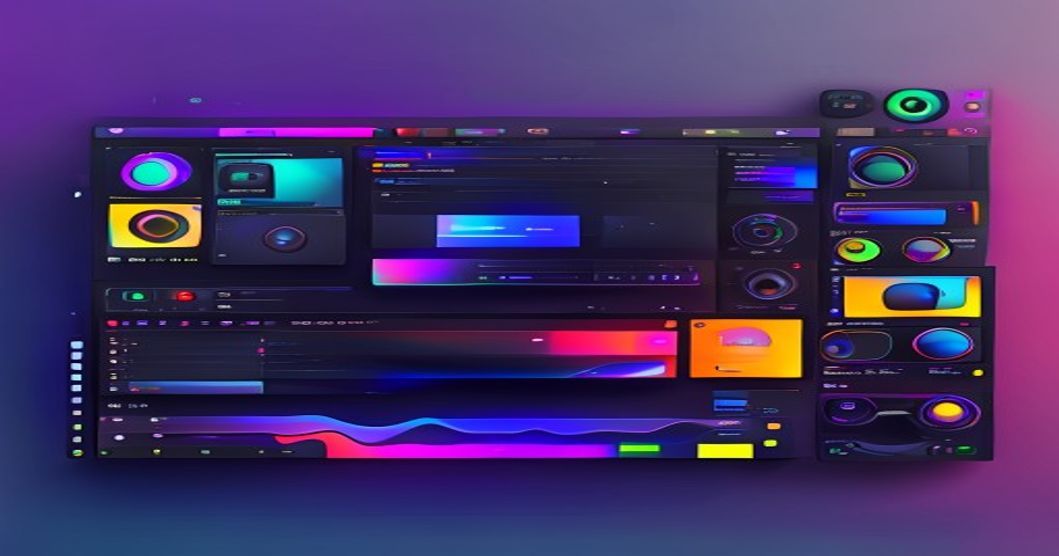
What is OpenReel Video?
OpenReel Video is an open-source browser-based video editor with 1,935+ GitHub Stars and 178+ Forks. It brings professional video editing capabilities directly to your web browser — no installation, no account, no upload required.
Unlike cloud-based editors that require uploading footage to remote servers, OpenReel Video processes everything client-side using WebAssembly and WebGL for maximum privacy and speed.
| Metric | Value |
|---|---|
| Stars | 1,935+ |
| Forks | 178+ |
| Language | TypeScript |
| License | MIT |
| Today | 67 stars |
GitHub: https://github.com/OpenReelVideo/editor Demo: Try it online
Why OpenReel Video is Different
1. True Client-Side Processing
 1┌─────────────────────────────────────┐
 2│    Traditional Cloud Editors         │
 3│  ┌─────────┐    ┌─────────┐        │
 4│  │  User   │───▶│  Cloud  │        │
 5│  │ Browser │    │ Server  │        │
 6│  └─────────┘    └────┬────┘        │
 7│       ▲              │              │
 8│       └──────────────┘              │
 9│         (Upload/Download)            │
10└─────────────────────────────────────┘
11
12┌─────────────────────────────────────┐
13│      OpenReel Video                 │
14│  ┌─────────────────────────┐        │
15│  │      User Browser       │        │
16│  │  ┌─────────────────┐    │        │
17│  │  │  WebAssembly    │    │        │
18│  │  │  Video Engine   │    │        │
19│  │  └─────────────────┘    │        │
20│  │  ┌─────────────────┐    │        │
21│  │  │   WebGL GPU     │    │        │
22│  │  │   Acceleration  │    │        │
23│  │  └─────────────────┘    │        │
24│  └─────────────────────────┘        │
25│         (No Upload Needed)          │
26└─────────────────────────────────────┘
Privacy Benefits:
- No upload — Your footage never leaves your computer
- No account — No email, no password, no tracking
- No watermark — Export clean videos without branding
- Works offline — Once loaded, no internet required
2. Professional Timeline Editor
OpenReel Video provides a full-featured timeline interface:
| Feature | Description | Shortcut |
|---|---|---|
| Multi-track | Unlimited video/audio tracks | - |
| Ripple Edit | Auto-adjust adjacent clips | R |
| Blade Tool | Split clips at playhead | B |
| Transitions | 50+ built-in transitions | T |
| Effects | Color correction, filters, LUTs | E |
| Keyframes | Animation for any property | K |
| Audio Mixing | Volume, EQ, noise reduction | A |
3. Format Support
| Format | Import | Export | Notes |
|---|---|---|---|
| MP4 | ✓ | ✓ | H.264/HEVC |
| MOV | ✓ | ✓ | ProRes supported |
| AVI | ✓ | ✗ | Import only |
| MKV | ✓ | ✗ | Import only |
| WebM | ✓ | ✓ | VP9/AV1 |
| GIF | ✓ | ✓ | Animated export |
| MP3 | ✓ | ✓ | Audio export |
| WAV | ✓ | ✓ | Lossless audio |
Core Features
Timeline Editing
 1// JavaScript API for programmatic editing
 2const project = await openreel.createProject({
 3    width: 1920,
 4    height: 1080,
 5    fps: 30,
 6    duration: 300  // 5 minutes
 7});
 8
 9// Add video clip
10const clip1 = await project.addClip({
11    source: './footage/intro.mp4',
12    track: 0,
13    startTime: 0,
14    duration: 10
15});
16
17// Add transition
18await clip1.addTransition({
19    type: 'fade',
20    duration: 1.5,
21    easing: 'ease-in-out'
22});
23
24// Add text overlay
25const text = await project.addText({
26    content: 'My Video Title',
27    track: 1,
28    startTime: 2,
29    style: {
30        font: 'Montserrat Bold',
31        size: 48,
32        color: '#ffffff',
33        position: { x: 960, y: 540 }
34    },
35    animation: {
36        in: 'slide-up',
37        out: 'fade-out',
38        duration: 1
39    }
40});
Real-Time Preview
 1// Hardware-accelerated preview
 2const preview = await project.createPreview({
 3    canvas: document.getElementById('preview-canvas'),
 4    quality: 'high',  // low | medium | high | full
 5    proxy: true       // Use proxy files for smooth scrubbing
 6});
 7
 8// Scrub through timeline
 9preview.scrubTo(15.5);  // Jump to 15.5 seconds
10
11// Real-time playback
12preview.play();
13preview.pause();
Export Options
 1// Export with various settings
 2const exportJob = await project.export({
 3    format: 'mp4',
 4    codec: 'h264',  // h264 | hevc | vp9 | av1
 5    quality: 'high',  // low | medium | high | custom
 6
 7    // Resolution
 8    width: 1920,
 9    height: 1080,
10
11    // Frame rate
12    fps: 30,
13
14    // Bitrate
15    videoBitrate: 8000,  // kbps
16    audioBitrate: 320,   // kbps
17
18    // Advanced
19    twoPass: true,
20    hardwareAccel: 'nvenc'  // nvenc | quicksync | vaapi | none
21});
22
23// Progress tracking
24exportJob.onProgress((progress) => {
25    console.log(`Export: ${progress.percent}%`);
26    console.log(`ETA: ${progress.eta} seconds`);
27});
28
29// Download when complete
30exportJob.onComplete((blob) => {
31    const url = URL.createObjectURL(blob);
32    const a = document.createElement('a');
33    a.href = url;
34    a.download = 'my-video.mp4';
35    a.click();
36});
Quick Start
Web Version (No Install)
1# Simply visit the demo
2open https://openreel.video/demo
3
4# Or embed in your site
5<iframe src="https://openreel.video/embed"
6        width="100%"
7        height="600px"
8        frameborder="0">
9</iframe>
Self-Hosted
 1# Clone repository
 2git clone https://github.com/OpenReelVideo/editor.git
 3cd editor
 4
 5# Install dependencies
 6npm install
 7
 8# Development server
 9npm run dev
10
11# Production build
12npm run build
13
14# Serve built files
15npx serve dist
Docker
 1FROM node:20-alpine
 2
 3WORKDIR /app
 4COPY package*.json ./
 5RUN npm ci --only=production
 6
 7COPY . .
 8RUN npm run build
 9
10EXPOSE 3000
11CMD ["npx", "serve", "dist", "-l", "3000"]
Use Cases
Content Creators
Edit YouTube videos, TikToks, and Reels:
 1// Quick social media export presets
 2const presets = {
 3    youtube: { width: 1920, height: 1080, fps: 30 },
 4    tiktok: { width: 1080, height: 1920, fps: 30 },
 5    instagram: { width: 1080, height: 1080, fps: 30 },
 6    twitter: { width: 1280, height: 720, fps: 30 }
 7};
 8
 9// One-click export
10await project.export(presets.tiktok);
Developers
Integrate video editing into your app:
 1import { OpenReelEditor } from 'openreel-video';
 2
 3const editor = new OpenReelEditor({
 4    container: document.getElementById('editor'),
 5    theme: 'dark',
 6
 7    // Customize toolbar
 8    tools: ['cut', 'trim', 'split', 'transition', 'text', 'audio'],
 9
10    // Event callbacks
11    onChange: (project) => {
12        console.log('Project updated:', project.duration);
13    },
14
15    onExport: (blob) => {
16        uploadToServer(blob);
17    }
18});
19
20// Load project
21await editor.loadProject('./my-project.json');
Privacy-Conscious Users
Edit sensitive footage without cloud upload:
 1// All processing happens locally
 2const editor = new OpenReelEditor({
 3    container: document.getElementById('editor'),
 4
 5    // Ensure no network calls
 6    offlineMode: true,
 7
 8    // Disable telemetry
 9    telemetry: false,
10
11    // No external assets
12    localAssetsOnly: true
13});
Performance Benchmarks
| Operation | OpenReel Video | Cloud Editor | Desktop Editor |
|---|---|---|---|
| Import 4K Video | 2s (local) | 45s (upload) | 1s (local) |
| Apply Filter | Real-time | 3s (server) | Real-time |
| Export 1080p | 2.5x realtime | 0.5x realtime | 4x realtime |
| Memory Usage | 800MB | 200MB (UI only) | 2GB |
| Privacy | ✓ Client-side | ✗ Server-side | ✓ Client-side |
Tested on MacBook Pro M3, 10-minute 1080p project
Technical Architecture
 1┌─────────────────────────────────────────────┐
 2│              UI Layer                        │
 3│  ┌─────────┐ ┌─────────┐ ┌─────────┐       │
 4│  │ Timeline│ │ Preview │ │ Toolbar │       │
 5│  │ Panel   │ │ Panel   │ │ Panel   │       │
 6│  └────┬────┘ └────┬────┘ └────┬────┘       │
 7└───────┼───────────┼───────────┼──────────────┘
 8        │           │           │
 9        └───────────┼───────────┘
10                    ▼
11┌─────────────────────────────────────────────┐
12│           Engine Layer                       │
13│  ┌─────────┐ ┌─────────┐ ┌─────────┐       │
14│  │  WASM   │ │  WebGL  │ │  Audio  │       │
15│  │  Video  │ │  Render │ │  Engine │       │
16│  │  Decoder│ │  Engine │ │         │       │
17│  └────┬────┘ └────┬────┘ └────┬────┘       │
18└───────┼───────────┼───────────┼──────────────┘
19        │           │           │
20        └───────────┼───────────┘
21                    ▼
22┌─────────────────────────────────────────────┐
23│           Storage Layer                      │
24│  ┌─────────┐ ┌─────────┐ ┌─────────┐       │
25│  │  OPFS   │ │  Indexed│ │  Memory │       │
26│  │ (File)  │ │  DB     │ │  Cache  │       │
27│  │ System  │ │ (Meta)  │ │ (Temp)  │       │
28│  └─────────┘ └─────────┘ └─────────┘       │
29└─────────────────────────────────────────────┘
WebAssembly Video Engine
 1// Low-level WASM API
 2const wasm = await OpenReelVideo.loadWasm({
 3    // SIMD acceleration
 4    simd: true,
 5
 6    // Multi-threading
 7    threads: navigator.hardwareConcurrency,
 8
 9    // Memory pool
10    memory: 2048  // MB
11});
12
13// Decode video frame
14const frame = await wasm.decodeFrame({
15    data: videoChunk,
16    format: 'h264',
17    timestamp: 15000  // ms
18});
19
20// Apply GPU filter
21const filtered = await wasm.applyFilter({
22    input: frame,
23    filter: 'color-grade',
24    params: {
25        brightness: 1.1,
26        contrast: 1.2,
27        saturation: 1.05
28    }
29});
Community & Resources
- GitHub: OpenReelVideo/editor
- Documentation: Full docs
- Discord: Community server
- Examples: Example projects
Related Articles
- Pixelle-Video: AI Short Video Generator
- AI-Trader: Fully Automated AI Trading Agent
- Free Claude Code: Zero-Cost AI Coding Assistant
OpenReel Video is completely free and open-source. No account required, no watermark, no limits. Edit your videos with privacy and speed.
Have questions or ideas? Feel free to leave a comment below. Sign in with GitHub to join the discussion.