BrowserOS: The Open-Source Chromium Fork That Ships Two AI Browsers, Not One
BrowserOS is an AGPL-3.0 open-source Chromium fork with a built-in AI agent — and the same repo also ships BrowserClaw, a separate browser your coding agents drive using your own logged-in sessions.
- ⭐ 12794
- TypeScript
- Go
- AGPL-3.0
- Updated 2026-07-30
Orca: The ADE for Running Claude Code, Codex, and Cursor in Parallel • nanobot: HKU’s Ultra-Lightweight Self-Hosted Personal AI Agent
What Is BrowserOS? #
The BrowserOS repository actually ships two separate browsers from one codebase, and it’s worth being precise about which is which:
- BrowserOS — “the AI browser for humans.” A Chromium fork you use directly, with an AI agent built into every tab.
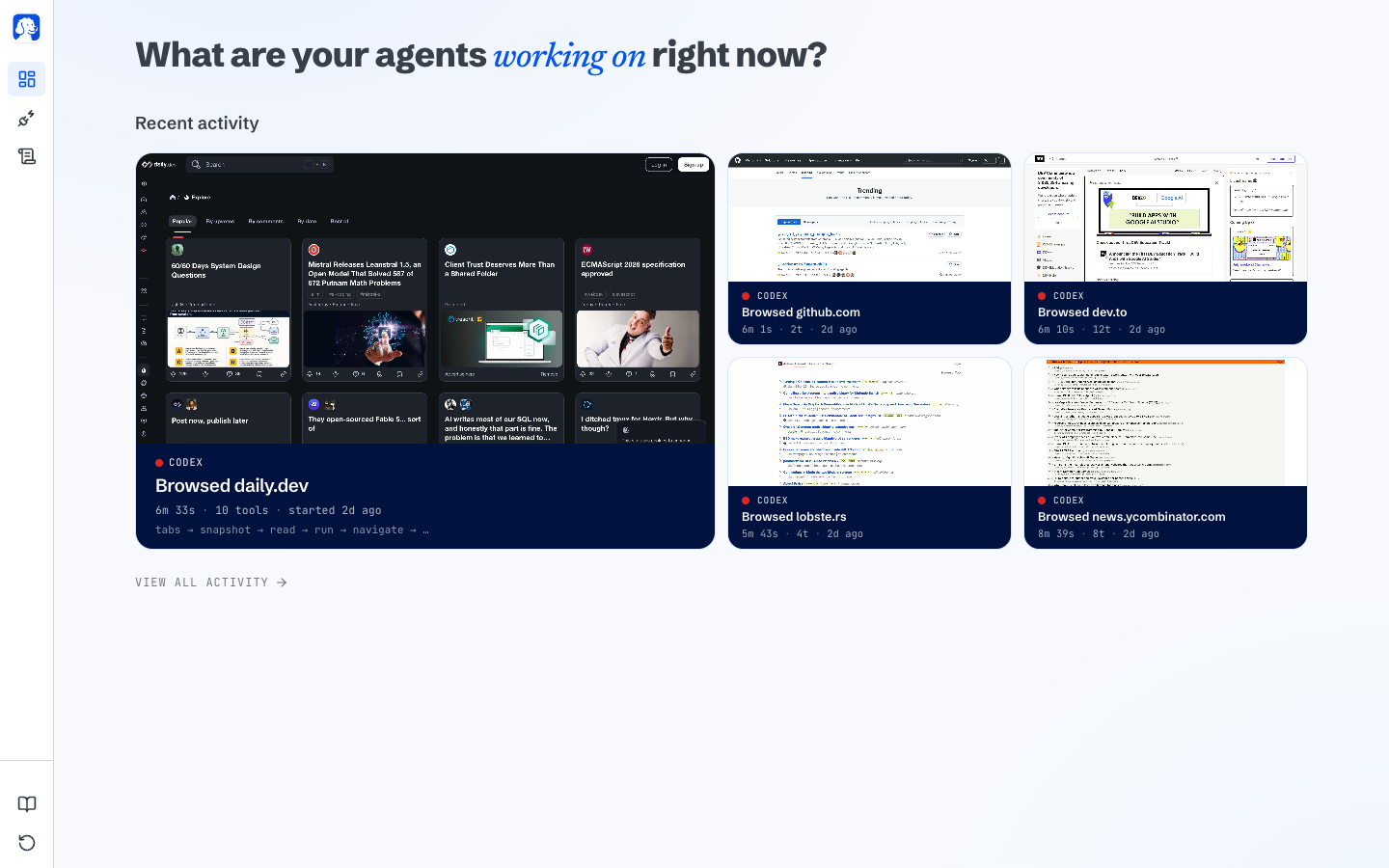
- BrowserClaw — “the browser for AI agents.” A separate browser that Claude Code, Codex, Cursor, or any MCP client drives using your own logged-in sessions, while you watch and replay every step.
🔗 GitHub: https://github.com/browseros-ai/BrowserOS 🌐 Homepage: https://www.browseros.com
Both are free and open-source under AGPL-3.0 — a copyleft license, notably stronger than the MIT/Apache-2.0 licenses on most tools in this roundup, with network-use provisions that matter if you build a hosted service on top of it. First pushed in May 2025, the project reached 12,700+ GitHub stars by late July 2026.
BrowserClaw: Give Agents Your Real Logins, on Purpose #
The problem BrowserClaw targets: ask an AI agent to “book a flight” or “reply to that email,” and it stops dead at a login screen, because tools like Playwright or browser-use spin up a fresh, sandboxed Chrome with no accounts signed in.
BrowserClaw’s answer is blunt about the tradeoff — agents drive a browser using the sessions you’re already logged into:
- Install and sign in to the sites you actually use
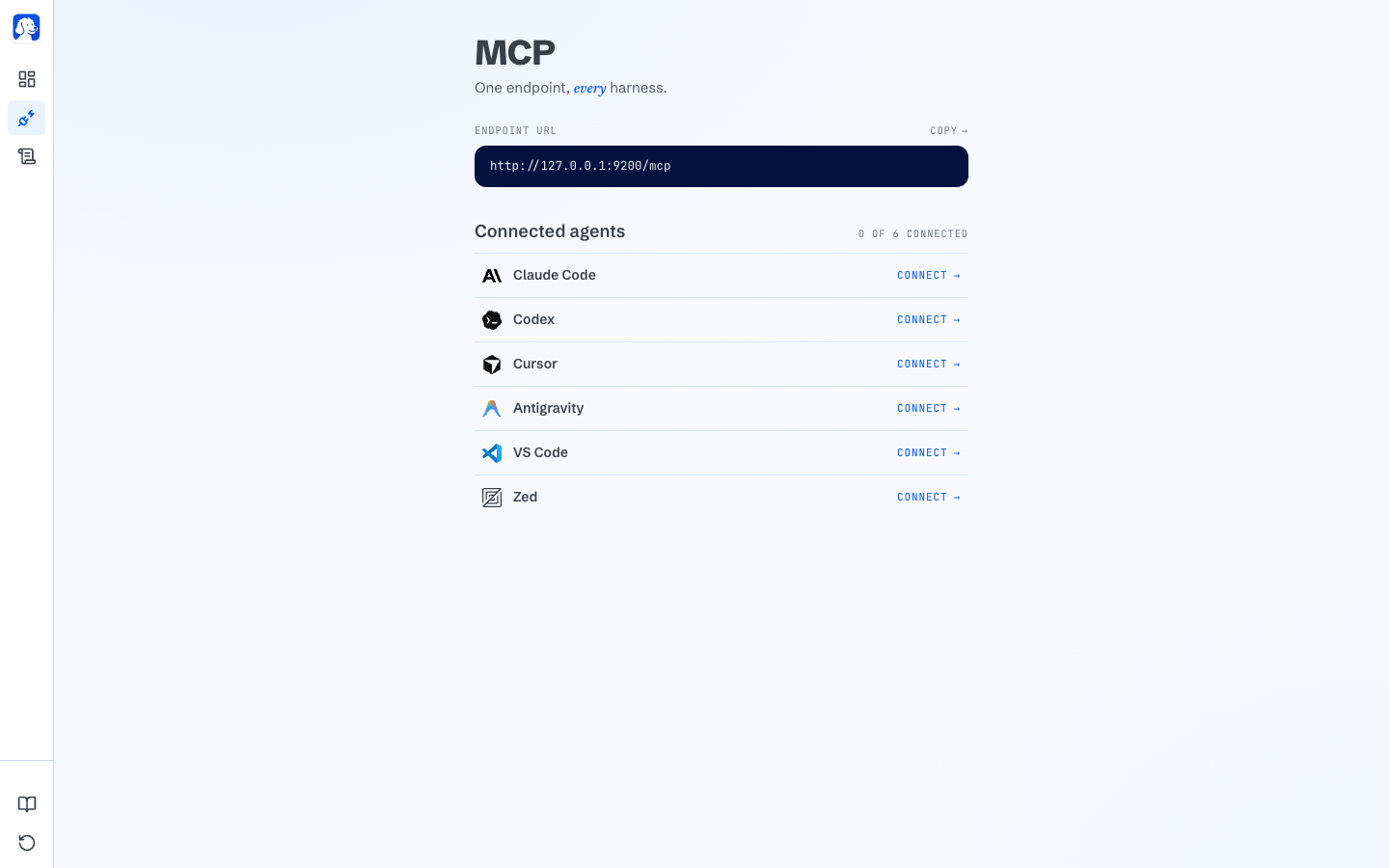
- Connect your AI in one click — Claude Code, Codex, Cursor, VS Code, Zed, OpenCode, Antigravity, or any MCP client via URL
- Give it a real task — e.g. “find a good time next week for a 30-minute meeting and send the invite” — and watch it work live in its own tab, replayable afterward like a video
Per the project, session data (screenshots, history, settings) lives under ~/.browserclaw/ and is never uploaded — only anonymous usage events (agent connect/disconnect, version, OS) are sent, never URLs/content/prompts, and that’s toggleable off.
How it’s positioned against alternatives: not a headless driver like Playwright (no logins, fine for CI, useless for real accounts) and not a cloud browser like Browserbase (your session tokens pass through someone else’s servers) — BrowserClaw runs locally on 127.0.0.1, using accounts already on your machine.
BrowserOS: A Daily-Driver Browser With an Agent Built In #
Where BrowserClaw is agent-first, BrowserOS is meant as your everyday browser — import bookmarks/passwords/extensions from Chrome in one click, then use the built-in agent whenever you want it:
- Ask it in plain English — 20+ built-in tools plus 40+ app integrations (Gmail, Slack, GitHub, Linear, Notion, and more)
- Cowork with files — combine browser automation with local file operations in one session
- Scheduled tasks — run agents on autopilot: daily, hourly, or every few minutes
- Bring your own AI — 11+ providers (Kimi, Claude, OpenAI, Gemini, ChatGPT Pro/Plus and GitHub Copilot via OAuth, OpenRouter, Azure, Bedrock), or fully local via Ollama/LM Studio
- Real ad blocking — uBlock Origin with full Manifest V2 support (notable since Chrome’s Manifest V3 transition broke some ad blockers)
The pitch against Comet, Atlas, and Dia specifically: those route your prompts through their own cloud and model; BrowserOS runs on your machine with your own AI keys.
How It Compares (Per the Project) #
| BrowserOS | Chrome | Brave | Dia | Comet | Atlas | |
|---|---|---|---|---|---|---|
| Open Source | ✅ | ❌ | ✅ | ❌ | ❌ | ❌ |
| AI Agent | ✅ | ❌ | ❌ | ❌ | ✅ | ✅ |
| MCP Server | ✅ | ❌ | ❌ | ❌ | ❌ | ❌ |
| Scheduled Tasks | ✅ | ❌ | ❌ | ❌ | ❌ | ❌ |
| Bring Your Own Keys | ✅ | ❌ | ✅ | ❌ | ❌ | ❌ |
| Local Models (Ollama) | ✅ | ❌ | ✅ | ❌ | ❌ | ❌ |
This is the project’s own comparison table — worth verifying independently against Comet/Atlas/Dia’s current feature sets, which change quickly.
Install #
BrowserOS (daily-driver browser):
macOS · Windows · Linux (AppImage) · Debian
downloads at files.browseros.com/download/
BrowserClaw (agent-driven browser, macOS and Windows only):
macOS · Windows
downloads at cdn.browseros.com/download/
Connect to Claude Code (or any MCP client) once installed — one-click setup for the seven listed tools, or a URL-based connection for anything else that speaks MCP.
Use Cases #
1. Letting an Agent Do Real Account-Bound Work #
Book a flight, download an invoice, or reply to an email — tasks that require being logged in, which sandboxed automation tools like Playwright can’t do out of the box.
2. A Privacy-First Daily Browser With an Agent on Tap #
Use BrowserOS as your regular Chrome replacement, with bookmarks/passwords/extensions imported, and an agent one keystroke away that doesn’t route your data through a third party’s cloud.
3. Scraping Structured Data From a Page #
Point BrowserOS’s agent at a page and ask it to pull specific data into a structured format, without writing custom scraping code.
4. Watching and Auditing What an Agent Actually Did #
BrowserClaw’s scrubbable session replay gives a literal video record of every action an agent took, useful when you don’t fully trust a new automation yet.
Related Repositories #
| Repository | Purpose |
|---|---|
| Claude Code | One of the primary agents that drives BrowserClaw or connects to BrowserOS via MCP |
| Orca | A different approach to “one control layer for many AI coding agents” |
Related Articles #
- Orca: The ADE for Running Claude Code, Codex, and Cursor in Parallel — multi-agent orchestration, applied to coding rather than browsing
- nanobot: HKU’s Ultra-Lightweight Self-Hosted Personal AI Agent — a personal agent BrowserOS/BrowserClaw could work alongside
Conclusion #
BrowserOS is really two products in one AGPL-3.0 open-source repo: a daily-driver Chromium fork with an agent built in, and a separate browser (BrowserClaw) built specifically for AI agents to drive using your real, logged-in accounts. Both make the same core bet against Atlas/Comet/Dia — that an AI browser shouldn’t require routing your data through someone else’s cloud.
Best for: Developers who want either a privacy-first daily browser with agent capabilities, or a way to let coding agents complete real tasks that require being logged into actual accounts, without adopting a cloud-hosted browser automation service.
GitHub: https://github.com/browseros-ai/BrowserOS
Recommended Infrastructure for Self-Hosting #
Both browsers run locally rather than needing a server, but if you’re pairing them with agent infrastructure that does:
- DigitalOcean — $200 free credit for 60 days across 14+ global regions.
- HTStack — Hong Kong VPS with low-latency access from mainland China. This is the same IDC that hosts dibi8.com.
Affiliate links — they don’t cost you extra and they help keep dibi8.com running.
Last updated: 2026-07-29
💬 Discussion