Orca: The ADE for Running Claude Code, Codex, and Cursor in Parallel
Orca is an open-source Agent Development Environment (ADE) that runs Claude Code, Codex, Cursor and 20+ other coding agents side-by-side in isolated git worktrees, with a mobile companion app and native SSH support.
- ⭐ 31658
- TypeScript
- MIT
- Updated 2026-07-29
Compound Engineering: Orchestrate Claude Code, Codex • Claude Code Subagent Patterns
What Is Orca? #
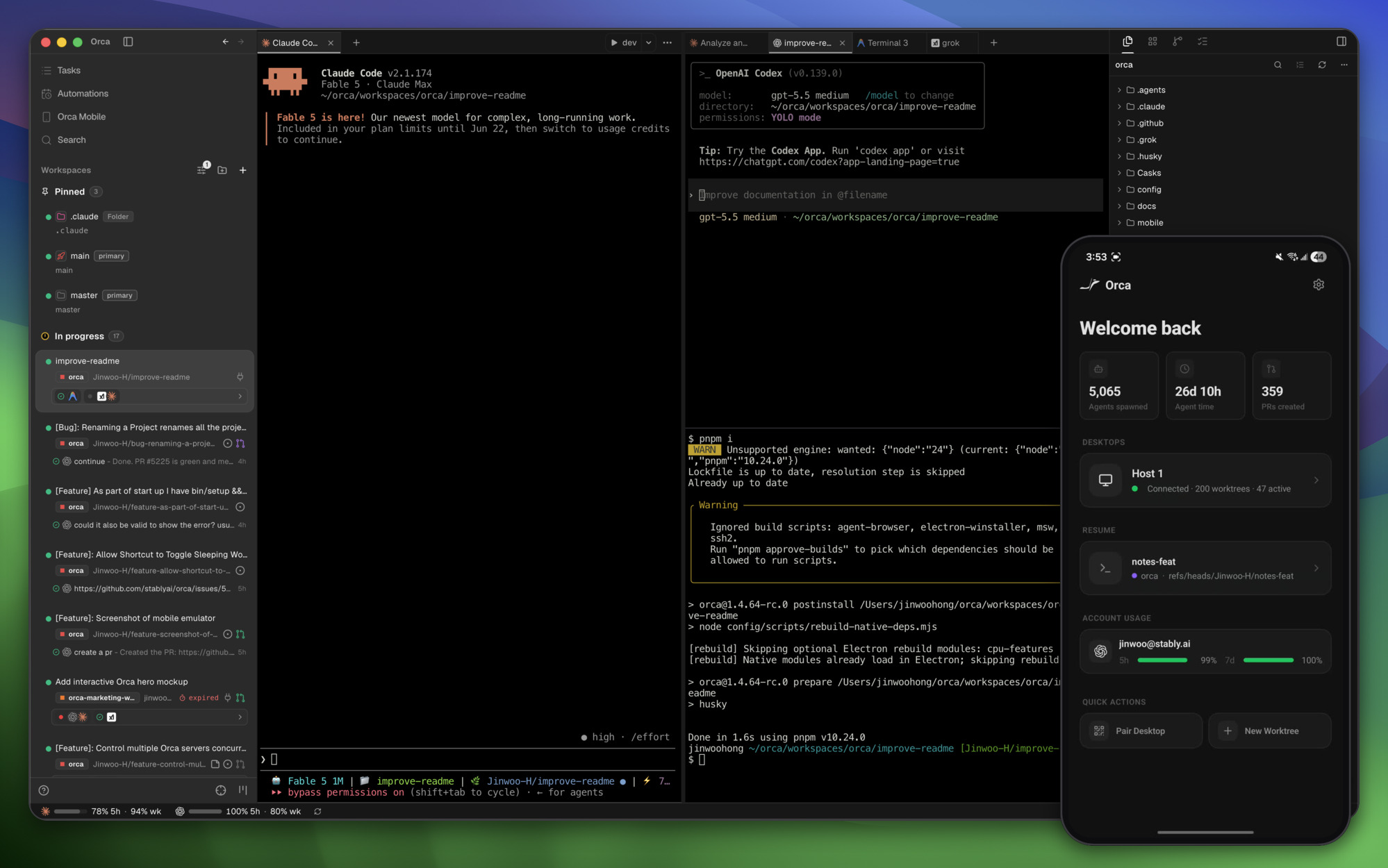
Orca bills itself as “the AI Orchestrator for 100x builders.” It’s an open-source Agent Development Environment (ADE) — not a single coding agent, but a cockpit for running several coding agents at once and comparing what they produce.
Instead of running one agent in one terminal tab, Orca lets you:
- 🤖 Run Claude Code, Codex, Cursor, OpenCode and 20+ other CLI agents side-by-side
- 🌳 Give each agent its own isolated git worktree, so parallel runs can’t collide
- 📱 Monitor and steer running agents from a mobile companion app
- 🖥️ Offload agents to a remote box over SSH, with auto-reconnect
- 🖱️ Click any element in an embedded browser and send it straight into an agent’s prompt (Design Mode)
🔗 GitHub: https://github.com/stablyai/orca 🌐 Homepage: https://onorca.dev
Built by Stably (YC-backed) and first pushed to GitHub in March 2026, Orca crossed 31,600+ GitHub stars by late July 2026 — up from under 20,000 just two weeks earlier, one of the fastest-growing projects in the “run more than one coding agent at a time” category.
Why “Parallel Worktrees” Matters #
The core idea Orca is built around: a single well-written prompt often gets a better result from one agent than another, and it’s hard to know in advance which agent will nail it. Orca’s answer is to stop guessing:
- Fan one prompt across five agents at once
- Each agent works in its own isolated git worktree — no shared working directory, no clobbered edits
- Review the diffs side-by-side once they finish
- Merge the winner, discard the rest
This turns “which agent should I use for this task” from a one-shot bet into a comparison you can actually see.
Key Features #
| Feature | Description |
|---|---|
| Parallel Worktrees | Run the same prompt across multiple agents in isolated git worktrees, then compare and merge |
| Mobile Companion | iOS/Android app to monitor agents and send follow-ups from your phone |
| Terminal Splits | Ghostty-class terminal rendering (WebGL) with infinite splits and persistent scrollback |
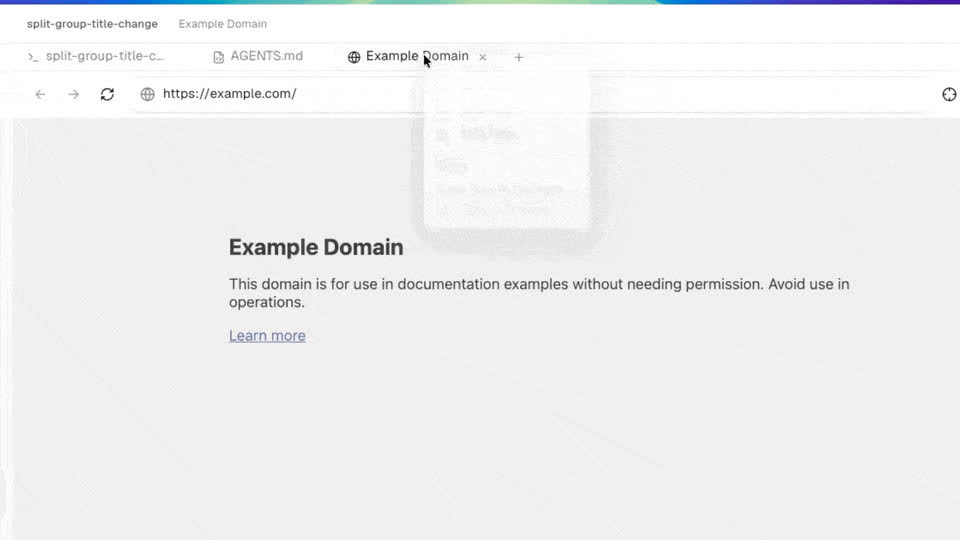
| Design Mode | Click a UI element in an embedded Chromium window to send its HTML/CSS + a cropped screenshot into an agent’s prompt |
| SSH Worktrees | Run agents on a remote server with full file editing, git, and terminal access |
| GitHub & Linear, Native | Browse PRs, issues, and project boards in-app; open a worktree straight from a task |
| Annotate AI Diffs | Comment on individual diff lines and ship the feedback back to the agent |
| Orca CLI | Script Orca itself — orca worktree create, snapshot, click, fill |
| Account Switcher | Track Claude/Codex usage and rate-limit resets, hot-swap accounts without re-logging in |
Supported Agents #
Orca doesn’t lock you into one vendor — it works with any CLI agent, including:
Claude Code · OpenAI Codex · Cursor · GitHub Copilot CLI · Grok CLI · OpenCode · Google Antigravity · Devin · Goose · Cline · Continue · Kilocode · Kimi · Kiro · Qwen Code · Mistral Vibe · Rovo Dev · Amp · Auggie · Command Code · Codebuff · Droid · Charm · Hermes Agent · Pi · oh-my-pi · OpenClaude · Autohand Code
You bring your own agent subscriptions — Orca doesn’t sell agent access, it orchestrates the agents you already run.
SSH Worktrees: Running Agents on a Remote Box #
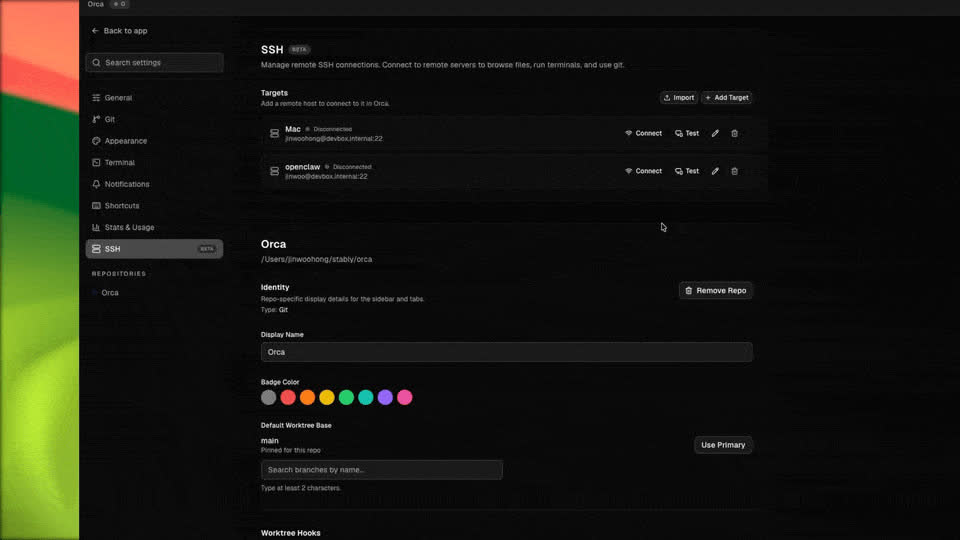
One of Orca’s less obvious but genuinely useful features: agents don’t have to run on the machine in front of you. SSH Worktrees let Orca drive agents on a remote server — full file editing, git operations, and terminal access — with auto-reconnect and port forwarding handled for you. That means you can keep a laptop for reviewing and steering while the actual agent workload (and its CPU/RAM cost) runs on a beefier remote box.
For a fully headless setup with no desktop at all, Orca also ships an orca serve mode.
Install #
macOS #
brew install --cask stablyai/orca/orca
Or download the .dmg directly: Apple Silicon · Intel
Windows #
Download the .exe installer from onorca.dev/download
Linux #
# AppImage — grab the latest build
curl -LO https://github.com/stablyai/orca/releases/latest/download/orca-linux.AppImage
chmod +x orca-linux.AppImage
./orca-linux.AppImage
Or on Arch Linux via the AUR:
yay -S stably-orca-bin
Headless Linux Server #
orca serve
See the project’s headless Linux server guide for reverse-proxy and auth setup.
Mobile Companion #
- iOS: App Store or TestFlight
- Android: APK releases
Scripting Orca From the CLI #
Agents can drive Orca itself, not just run inside it. The Orca CLI exposes worktree and UI-automation primitives:
orca worktree create   # spin up a new isolated worktree for an agent
orca snapshot           # capture the current state of a worktree
orca click               # click a UI element (Design Mode automation)
orca fill                # fill a form field programmatically
Full syntax is in the CLI docs — this is enough to script “spin up N worktrees, run an agent in each, snapshot the result” without touching the GUI.
Orca vs. Running Agents Manually #
| Aspect | Orca | Terminal tabs / tmux |
|---|---|---|
| Isolation between runs | Automatic git worktrees | Manual (you set it up) |
| Compare multiple agents on one task | Built-in side-by-side | Manual diffing |
| Remote/SSH agents | Native, with auto-reconnect | Manual SSH + tmux |
| Mobile monitoring | iOS/Android companion app | None |
| GitHub/Linear integration | In-app, no context switch | Browser tab switch |
| License | MIT, open-source | N/A |
Use Cases #
1. A/B Testing Prompts Across Agents #
Send the same feature request to Claude Code and Codex simultaneously, in separate worktrees, and merge whichever implementation is cleaner.
2. Offloading Heavy Agent Runs to a Remote Box #
Use SSH Worktrees to run a long-running refactor or test suite on a rented VPS while your laptop stays responsive.
3. Reviewing AI Diffs From Your Phone #
Kick off an overnight agent run, then use the mobile companion app to check progress and approve or annotate diffs the next morning.
4. UI Work Without Leaving the Agent Loop #
Use Design Mode to click a broken component in a live preview and hand the agent its exact HTML/CSS instead of describing the bug in words.
Related Repositories #
| Repository | Purpose |
|---|---|
| Claude Code | One of the most commonly orchestrated agents inside Orca |
| OpenCode | Open-source terminal agent, also orchestrated by Orca |
| Goose | Open-source agent framework, listed as a supported agent |
Related Articles #
- herdr: The Terminal Multiplexer Built for Running Many AI Agents at Once — a terminal-first alternative to Orca’s desktop GUI
- Compound Engineering: Orchestrate Claude Code, Codex — a plugin-based approach to multi-agent workflows inside a single harness
- Claude Code Subagent Patterns — patterns for splitting work across Claude Code subagents
- Hermes Agent: Self-Improving AI Agent That Evolves With You — one of the agents Orca can drive
Conclusion #
Orca is less a coding agent than a control room for the coding agents you already use — Claude Code, Codex, Cursor and 20+ others — with isolated worktrees, a mobile companion, and native SSH support for remote runs. Going from under 20,000 to 31,600+ GitHub stars in about two weeks (as of late July 2026) suggests the “orchestrate many agents, not just one” model is resonating.
Best for: Developers already running multiple coding agents who want isolation between parallel runs, plus the ability to monitor and steer agents from a phone.
GitHub: https://github.com/stablyai/orca
Recommended Infrastructure for Self-Hosting #
If you want to run Orca’s SSH Worktrees against a dedicated remote box instead of your own laptop:
- DigitalOcean — $200 free credit for 60 days across 14+ global regions. A common choice for a always-on remote worktree host.
- HTStack — Hong Kong VPS with low-latency access from mainland China. This is the same IDC that hosts dibi8.com — battle-tested in production.
Affiliate links — they don’t cost you extra and they help keep dibi8.com running.
Last updated: 2026-07-29
💬 Discussion