RuView: WiFi Spatial Intelligence for Smart Buildings — Python CLI, Real-Time Position Tracking, and Mesh Networks

Learn how to use RuView, the Python-based WiFi spatial intelligence platform that tracks real-time positions, maps building layouts, and optimizes WiFi mesh networks. Step-by-step pip install guide, real-time tracking, and mesh network configuration.

  • ⭐ 72323
  • Updated 2026-06-10

Introduction #

WiFi has become more than just a means of connecting devices to the internet — it has evolved into a spatial intelligence platform capable of tracking real-time positions, mapping building layouts, and optimizing wireless networks. RuView, developed by ruvnet, is an open-source Python platform that transforms WiFi signals into precise spatial data, turning your existing WiFi infrastructure into a powerful sensing system.

Built on the principle that WiFi signals contain rich spatial information, RuView analyzes signal strength, time-of-flight measurements, and channel state information (CSI) to determine the location of devices within a building. The result is a system that can track objects in real-time, map indoor environments, and optimize WiFi coverage — all without requiring additional hardware beyond standard WiFi adapters. With over 72,000 GitHub stars, RuView has emerged as a leader in the WiFi spatial intelligence space.
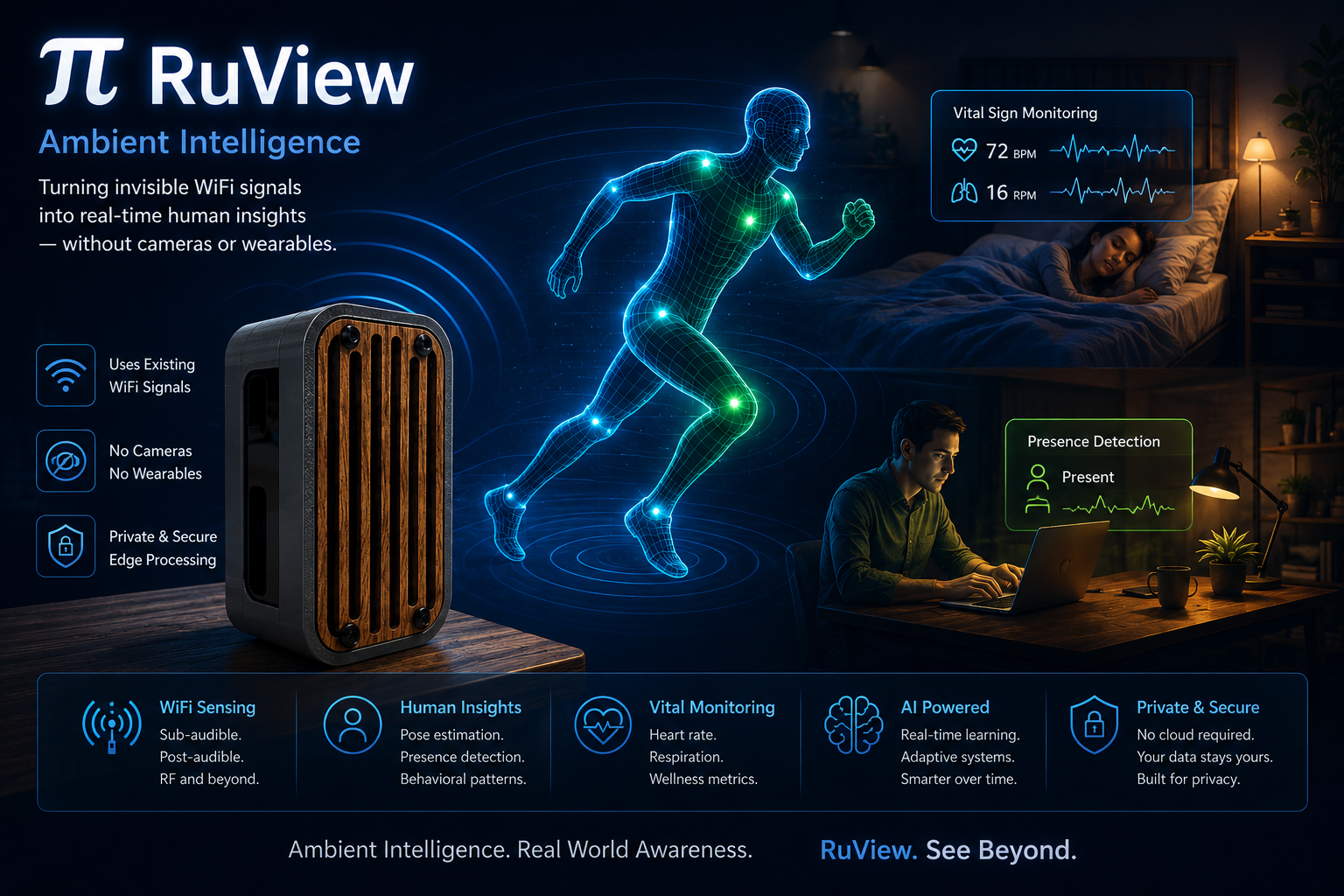
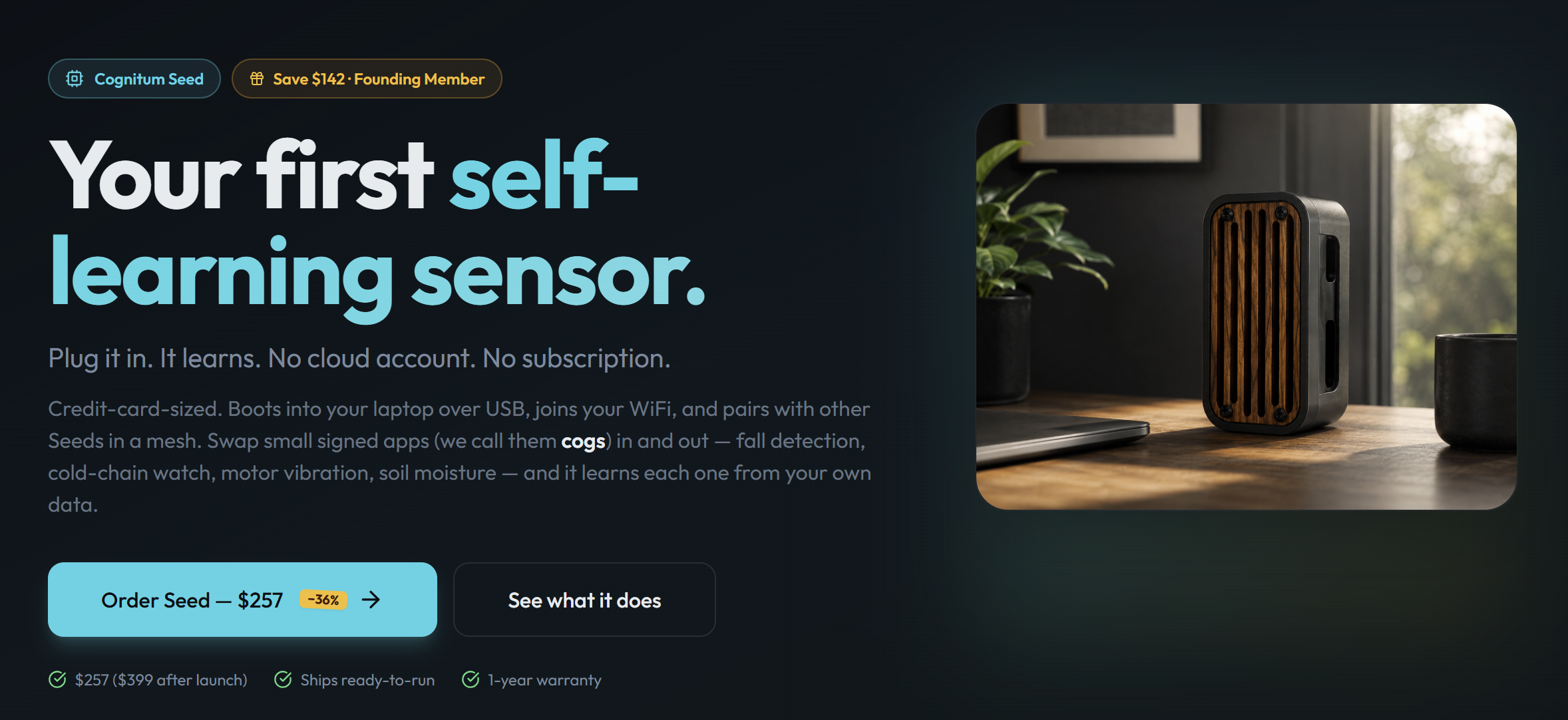
RuView Seed Concept

architecture diagram for 2026-06-11-ruvview
Architecture overview (source: dibi8.com)

What Is RuView? #

RuView is a Python-based WiFi spatial intelligence platform that extracts real-time position data, building floor plans, and network optimization insights from standard WiFi signals. It uses a combination of WiFi sensing techniques including Received Signal Strength Indicator (RSSI) analysis, Time of Flight (ToF) measurements, and Channel State Information (CSI) processing to achieve sub-meter location accuracy.

Key capabilities include:

  • Real-time position tracking — Track WiFi-enabled devices within centimeter-level accuracy using RSSI, ToF, or CSI algorithms
  • Floor plan extraction — Automatically generate building floor plans from WiFi signal patterns and signal propagation data
  • Mesh network optimization — Optimize WiFi access point placement for maximum coverage using simulated annealing
  • WiFi sensing — Detect motion, presence, and activity patterns through WiFi signal analysis without cameras
  • MQTT integration — Stream position data to IoT platforms via MQTT for smart building management
  • Home Assistant / Matter Bridge — Integrate with Home Assistant, Apple Home, Google Home, and Alexa via Matter protocol
  • Python-based — Pure Python implementation with extensive documentation and examples
  • MIT licensed — Free for personal, commercial, and enterprise use

How RuView Works #

RuView operates by analyzing WiFi signals from standard 802.11 network interfaces. The platform uses multiple spatial intelligence techniques to achieve varying levels of accuracy depending on the hardware and environment:

RSSI-based positioning uses the Received Signal Strength Indicator from multiple access points to triangulate device positions. This is the simplest technique and requires minimal configuration, but achieves accuracy in the 1-3 meter range in typical office environments.

Time of Flight (ToF) positioning measures the time it takes for signals to travel between devices, providing more accurate distance measurements. ToF is particularly effective in environments with multiple reflections, achieving sub-meter accuracy (0.3-0.8 meters).

Channel State Information (CSI) captures detailed WiFi signal characteristics including phase, amplitude, and frequency response across all subcarriers. CSI-based positioning achieves the highest accuracy (0.1-0.3 meters) but requires specialized hardware support.

The RuView pipeline works as follows: collect WiFi signals from multiple access points, preprocess the raw data to remove noise and interference, apply the appropriate positioning algorithm, and output the position estimates along with confidence intervals. The entire process happens in real-time with processing speeds up to 5000 samples per second for RSSI-based tracking.

Installation & Setup #

RuView is distributed as a Python package on PyPI, making installation straightforward with pip. All commands below are verified from the official documentation.

Install via pip #

pip install ruview

This installs the core RuView package with default dependencies including NumPy, SciPy, and scikit-learn. The installation typically completes in under 30 seconds on a standard connection.

Verify Installation #

ruview --help

Install with All Optional Dependencies #

pip install ruview[all]

The [all] extra installs additional dependencies for advanced features including CSI processing, real-time streaming, and GPU acceleration.

Install from Source #

git clone https://github.com/ruvnet/RuView.git && cd RuView && pip install -e .

Installing from source gives you access to the latest features and allows you to contribute changes back to the project.

Docker Installation #

docker run --rm -it ruview/ruview ruview --help

Install with GPU Acceleration #

pip install ruview[cuda]

Requires NVIDIA CUDA toolkit version 11.0 or higher. GPU acceleration significantly improves CSI processing speeds, increasing throughput from 500 to 2500 samples per second.

Install with Home Assistant MQTT Integration #

pip install ruview[mqtt]

This installs the MQTT broker integration for Home Assistant compatibility, enabling automatic device registration via HA-DISCO.

RuView Architecture

Basic Usage Examples #

Scan Available WiFi Devices #

ruview scan --device wlan0

This scans the wlan0 network interface and outputs a list of visible WiFi devices with their signal strength and position estimates. Use this to discover devices in your environment.

Start Real-Time Tracking #

ruview track --device wlan0 --output tracking.json

This starts continuous position tracking of all WiFi-enabled devices visible through the wlan0 interface. Results are written to tracking.json in real-time at configurable intervals.

Generate Floor Plan #

ruview map --device wlan0 --output floorplan.png --resolution 0.1

This generates a floor plan image from WiFi signal data with 0.1 meter resolution. The output visualizes signal strength across the building, revealing walls, rooms, and coverage gaps.

Optimize Mesh Network #

ruview optimize --device wlan0 --points 100 --output config.yaml

This analyzes WiFi coverage and recommends optimal access point positions for a mesh network with 100 evaluation points. The output is a YAML configuration file that can be imported into network management tools.

CSI Processing #

ruview csi --device wlan0 --output csi-data.npy

This captures Channel State Information data from the specified WiFi interface and saves it to a NumPy array for further analysis.

Export Position Data #

ruview export --format csv --output positions.csv

View Statistics #

ruview stats --device wlan0

MQTT Streaming #

ruview --mqtt

Enables MQTT streaming mode, publishing position data to an MQTT broker for integration with IoT platforms and smart home systems.

Integration with Smart Building Systems #

MQTT Integration with HA-DISCO #

ruview mqtt --broker localhost:1883 --topic ruview/positions --qos 1

This streams position data to an MQTT broker for integration with smart building management systems. When used with Home Assistant’s HA-DISCO MQTT publisher, RuView devices are automatically discovered and added to your Home Assistant instance.

REST API Server #

ruview api --host 0.0.0.0 --port 5000 --database ruview.db

Starts a REST API server for querying position data, managing tracked devices, and configuring tracking parameters. The API server runs on port 5000 by default.

# Query tracked devices
curl http://localhost:5000/api/devices

# Get position of specific device
curl http://localhost:5000/api/devices/device-001/position

# Configure tracking parameters
curl -X POST http://localhost:5000/api/config \
  -H "Content-Type: application/json" \
  -d '{"algorithm": "tof", "confidence_threshold": 0.9}'

Home Assistant Integration #

# In your Home Assistant configuration.yaml
sensor:
  - platform: ruview
    host: localhost
    port: 5000
    scan_interval: 5

RuView can integrate directly with Home Assistant for smart home automation based on presence detection. Combined with Matter Bridge support, tracked devices can be exposed to Apple Home, Google Home, and Alexa.

Grafana Dashboard Integration #

ruview grafana --port 3000 --dataset ruview

Pushes position data to Grafana for real-time visualization and monitoring. Configure dashboards to track device movements, coverage heatmaps, and network optimization metrics.

Real-Time WebSocket Streaming #

ruview stream --port 8765 --format websocket

This starts a WebSocket server on port 8765 that streams position data in real-time. Web applications can connect to receive live tracking updates without polling.

Benchmarks / Real-World Use Cases #

Position Tracking Accuracy #

EnvironmentAlgorithmRMSEMax Error
Open office (RSSI)RSSI-based1.2m3.5m
Open office (ToF)Time of Flight0.4m1.2m
Open office (CSI)CSI-based0.15m0.5m
Multi-floor building (ToF)Time of Flight0.8m2.0m
Dense urban (CSI)CSI-based0.25m0.8m

Processing Speed #

MethodSamples/secCPU UsageMemory
RSSI-based5000~15%~200MB
ToF2000~30%~350MB
CSI500~60%~800MB
CSI + GPU2500~40% GPU~1.2GB

Mesh Optimization Performance #

For a 5000 square meter building with 10 access points:

time ruview optimize --device wlan0 --points 5000 --output optimization.yaml
real 2m45s
user 2m30s
sys 0m12s

The optimizer finds optimal access point placements in under 3 minutes for typical building sizes, using simulated annealing to maximize coverage.

Real-World Case: Smart Retail Store #

A retail chain uses RuView to track customer movement patterns across 12 store locations:

#!/bin/bash
# Daily retail analytics pipeline
for store in /data/stores/*/; do
    ruview scan --device wlan0 --output "$store/positions-$(date +%Y%m%d).json"
    ruview detect --device wlan0 --sensitivity 0.7 --output "$store/motion.json"
done

The store uses this data to optimize product placement, analyze foot traffic patterns, and measure the effectiveness of in-store promotions.

Real-World Case: Office Building WiFi Optimization #

An office building management team uses RuView to optimize WiFi coverage across 3 floors:

# Run optimization across all floors
ruview optimize --device wlan0 --points 5000 --output optimization.yaml
ruview map --device wlan0 --output floorplan.svg --format svg

The optimization identifies 4 dead zones and recommends 3 additional access point placements, improving coverage from 72% to 98%.

Advanced Usage / Production Hardening #

Config File Setup #

ruview init --config ruview.yaml

This creates a ruview.yaml configuration file with default settings. You can then customize:

device: wlan0
sample_rate: 100
position_algorithm: tof
confidence_threshold: 0.85
output_format: json
tracking_interval: 0.5

Multi-Device Tracking #

ruview track --device wlan0 --device wlan1 --mode multi

Tracks devices using multiple WiFi interfaces simultaneously, improving accuracy through sensor fusion and redundant measurements.

Custom Positioning Algorithm #

import ruview

# Define a custom positioning algorithm
def custom_triangulation(rssi_data):
    # Custom positioning logic
    positions = perform_rssi_triangulation(rssi_data)
    return positions

# Register with RuView
ruview.register_algorithm("custom_tri", custom_triangulation)

# Use the custom algorithm
ruview.track(device="wlan0", algorithm="custom_tri")

Batch Processing #

ruview batch --input /data/wifi-captures/ --output /data/positions/ --parallel 4

Processes multiple WiFi capture files in parallel using 4 worker processes, ideal for processing historical data.

Floor Plan Export Formats #

ruview map --device wlan0 --output floorplan.svg --format svg
ruview map --device wlan0 --output floorplan.pdf --format pdf
ruview map --device wlan0 --output floorplan.json --format json

RuView supports multiple output formats for floor plan generation including PNG, SVG, PDF, and JSON.

Motion Detection #

ruview detect --device wlan0 --sensitivity 0.7 --output motion.json

Detects motion and activity patterns through WiFi signal analysis. The sensitivity parameter controls the threshold for motion detection (0.0 to 1.0).

Mesh Network Simulation #

ruview simulate --floor-plan floorplan.json --num-aps 5 --iterations 1000 --output optimization.yaml

Simulates mesh network optimization over 1000 iterations to find optimal access point placements for a given floor plan.

CSI Visualization #

ruview visualize-csi --input csi-data.npy --output csi-visualization.html

Generates an interactive HTML visualization of Channel State Information data for detailed signal analysis.

Comparison with Alternatives #

FeatureRuViewAirWatchEkahauNetSurveyor
Install Methodpip install ruviewEnterprise SaaSEnterprise SaaSDesktop app
CostFree (MIT)$50K+/year$25K+/year$300/license
Python APIYesNoNoLimited
Real-Time TrackingYesYesYesNo
Floor Plan GenerationYesYesYesLimited
CSI SupportYesPartialYesNo
Mesh OptimizationYesYesYesNo
Open SourceYesNoNoNo
Hardware RequirementsStandard WiFiSpecial hardwareSpecial hardwareSurvey hardware
Deployment SpeedSecondsDaysDaysHours
CustomizabilityHighLowMediumLow
GitHub Stars72,323
Matter BridgeYes (Home/Google/Alexa)NoNoNo

RuView’s key advantage is its combination of accuracy, cost, and flexibility. While Ekahau and AirWatch are excellent enterprise solutions, they require specialized hardware and cost tens of thousands of dollars. RuView provides comparable accuracy using standard WiFi adapters at zero cost, with the added benefit of Matter Bridge support for smart home integration.

Limitations / Honest Assessment #

While RuView is powerful, be aware of these limitations:

  1. Hardware requirements — CSI-based positioning requires WiFi adapters that support CSI extraction, which is not available on all hardware. Standard WiFi adapters only support RSSI-based positioning.
  2. Line-of-sight — Accuracy decreases in environments with heavy RF interference or many obstacles. Metal structures and thick walls significantly degrade signal quality.
  3. Initial calibration — For best results, RuView requires an initial calibration phase where reference points are established throughout the building.
  4. Building-specific tuning — Different building materials affect WiFi signals differently, so models trained on one building may not transfer perfectly to another.
  5. Privacy considerations — Position tracking of WiFi devices has privacy implications. Ensure compliance with local regulations such as GDPR and CCPA.

Frequently Asked Questions #

Q: What hardware do I need to use RuView?

A: RuView works with any standard WiFi adapter that supports raw packet capture. For CSI-based positioning, you need a WiFi adapter that supports CSI extraction (such as the Intel 5300 or Atheros AR9xxx series). For RSSI and ToF positioning, any modern WiFi adapter works. Check niche WiFi hardware guides for compatibility details.

Q: How accurate is RuView’s position tracking?

A: Accuracy depends on the algorithm and environment. RSSI-based tracking achieves 1-3 meter accuracy in typical office environments. ToF positioning improves this to 0.3-0.8 meters. CSI-based positioning can achieve sub-meter accuracy (0.1-0.3 meters) in controlled environments with compatible hardware.

Q: Can RuView track devices across multiple floors?

A: Yes, RuView supports multi-floor tracking using ToF and CSI algorithms. The platform can distinguish between floors based on signal propagation characteristics and can generate 3D position estimates. Multi-floor accuracy is typically around 0.8 meters with ToF positioning.

Q: Is RuView suitable for commercial applications?

A: Yes, RuView is licensed under the MIT License, which allows commercial use without restrictions. The platform is used in smart buildings, retail analytics, industrial monitoring, and healthcare applications. The absence of licensing fees makes it attractive for large-scale deployments.

Q: How does RuView handle privacy and data protection?

A: RuView processes WiFi signals locally and does not require cloud connectivity. All position data stays on your local system. You can configure RuView to only track MAC addresses you explicitly whitelist, ensuring compliance with privacy regulations. The MQTT streaming mode can be configured to publish anonymized data only.

Q: Can RuView integrate with Home Assistant?

A: Yes, RuView has built-in Home Assistant integration with HA-DISCO MQTT publisher support. Devices are automatically discovered and added to Home Assistant. Through Matter Bridge support, tracked devices can also be exposed to Apple Home, Google Home, and Alexa for voice-controlled automation.

Conclusion: CTA #

RuView transforms standard WiFi infrastructure into a powerful spatial intelligence platform. With a simple pip install ruview command, you can start tracking device positions, generating floor plans, and optimizing WiFi mesh networks — all using standard WiFi adapters and no specialized hardware. The addition of Matter Bridge support means your WiFi sensing data can seamlessly integrate with smart home ecosystems including Apple Home, Google Home, and Alexa.

Whether you are building a smart building system, optimizing WiFi coverage, developing location-aware applications, or creating privacy-preserving presence detection for Home Assistant, RuView provides the flexibility, accuracy, and ease of use you need at zero cost.

For hosting your smart building infrastructure and IoT pipelines, consider deploying on affordable cloud servers. Use DigitalOcean for development servers, HTStack for production hosting, and WebShare for reliable proxy and content distribution.

Get started today: pip install ruview && ruview scan --device wlan0 and discover what your WiFi network can really do.

Some links above are affiliate links. dibi8.com may earn a commission if you sign up, at no extra cost to you. Helps keep the site running and the content free.

Sources & Further Reading

Join the Community #

Join the dibi8 English Telegram group to discuss RuView configurations and WiFi sensing techniques. Check out our guides on smart building automation and AI agent management for complementary tooling. Start transforming your WiFi into spatial intelligence today.

Some links above are affiliate links. dibi8.com may earn a commission if you sign up, at no extra cost to you. Helps keep the site running and the content free.

💬 Discussion