OfficeCLI: A Single Binary That Lets AI Agents Read, Edit, and Render Word/Excel/PowerPoint
OfficeCLI is an open-source, single-binary CLI that gives AI agents full control over .docx/.xlsx/.pptx files — path-based element access, a built-in HTML/PNG rendering engine, and no Office installation required.
- ⭐ 22885
- C#
- Apache-2.0
- Updated 2026-07-30
graphify: Turn Any Codebase Into a Queryable Knowledge Graph for Claude Code • DeepTutor: HKU’s Agent-Native Tutoring Workspace With Inspectable Memory
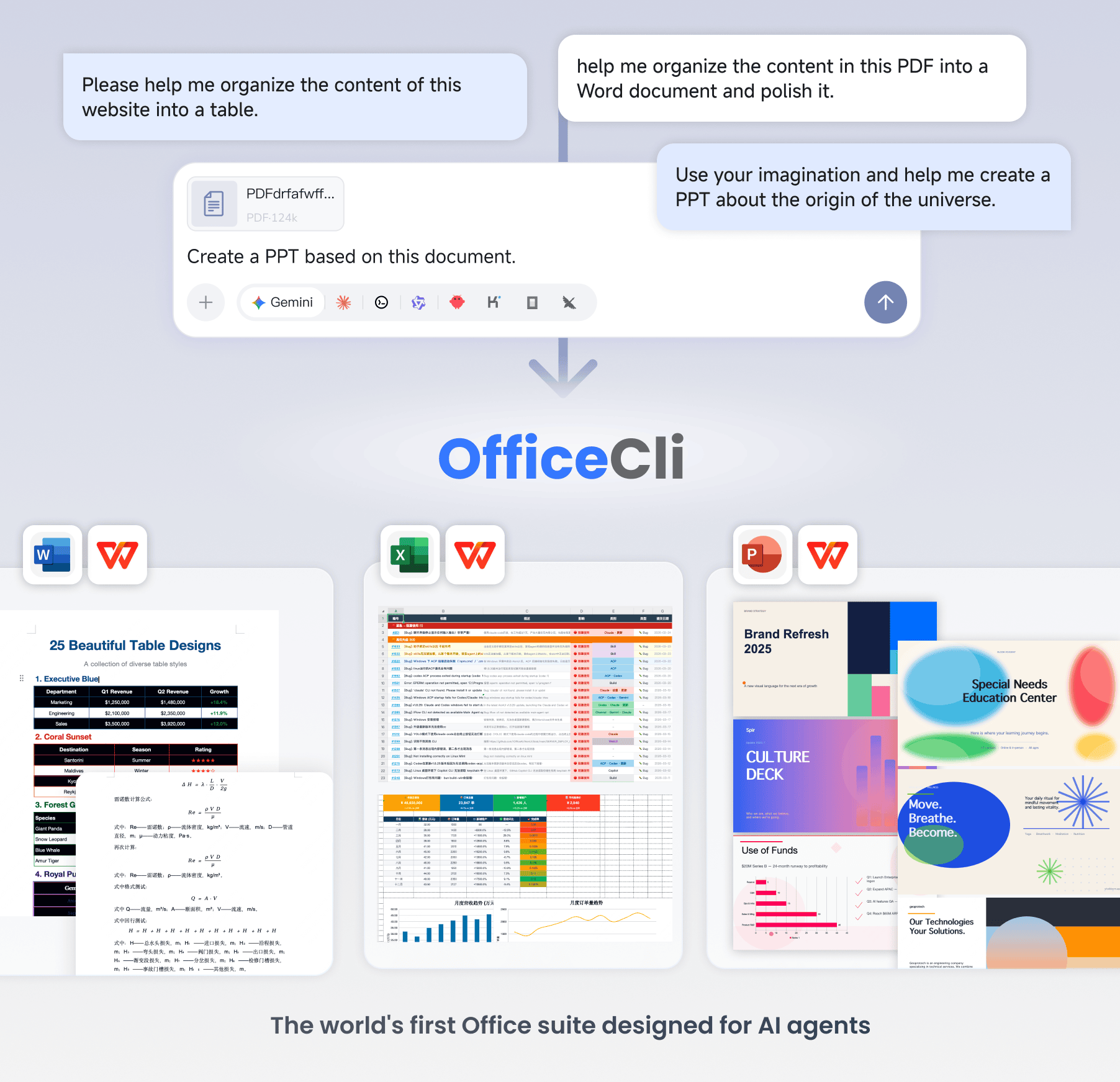
What Is OfficeCLI? #
OfficeCLI targets a specific, unglamorous gap: AI agents are good at writing code and text, but genuinely editing a real .docx, .xlsx, or .pptx file — preserving formatting, formulas, and layout — usually means either automating actual Microsoft Office via COM, or dropping down to raw OOXML. OfficeCLI is a single, open-source (Apache-2.0) binary built specifically so agents can create, read, analyze, and modify all three formats through one consistent CLI and JSON interface.
🔗 GitHub: https://github.com/iOfficeAI/OfficeCLI 🌐 Homepage: https://officecli.ai
First pushed in March 2026, OfficeCLI reached 22,800+ GitHub stars by late July 2026. It requires no Office installation, no dependencies, and per the project ships as a self-contained binary with the .NET runtime embedded.
The example the project leads with: what used to take 50 lines of python-pptx boilerplate to build a slide now takes one command:
officecli add deck.pptx / --type slide --prop title="Q4 Report"
The Render-Look-Fix Loop #
The feature that most distinguishes OfficeCLI from a plain document-manipulation library: a built-in HTML/PNG rendering engine, so an agent can render a document, actually look at the rendered output, and fix what’s wrong — closing a loop that’s otherwise impossible without a human checking the file manually.
officecli watch deck.pptx # live preview at http://localhost:26315, auto-refreshes on edit
Every add, set, or remove command from another terminal updates the preview in real time — useful for watching an agent build a document step by step.
Install #
One-line (macOS/Linux):
curl -fsSL https://raw.githubusercontent.com/iOfficeAI/OfficeCLI/main/install.sh | bash
Windows (PowerShell):
irm https://raw.githubusercontent.com/iOfficeAI/OfficeCLI/main/install.ps1 | iex
Or via a package manager:
brew install officecli
npm install -g @officecli/officecli
Then:
officecli install
This copies the binary onto your PATH and installs the OfficeCLI skill into any detected AI coding agent — Claude Code, Cursor, Windsurf, GitHub Copilot, and more — with no further configuration.
For an AI agent to set itself up, the project’s suggested one-liner is to have the agent fetch and read curl -fsSL https://officecli.ai/SKILL.md, which teaches it the install steps and command set directly.
Quick Start #
officecli create deck.pptx
officecli add deck.pptx / --type slide --prop title="Q4 Report"

officecli view deck.pptx --outline
# → Slide 1: Q4 Report
# →   Shape 1 [TextBox]: Revenue grew 25%

officecli view deck.pptx --html     # rendered preview in your browser, no server needed
officecli get deck.pptx /slide[1]/shape[1] --json    # structured JSON for any element

What It Can Do #
| Format | Read | Modify | Create |
|---|---|---|---|
| Word (.docx) | ✅ | ✅ | ✅ |
| Excel (.xlsx) | ✅ | ✅ | ✅ |
| PowerPoint (.pptx) | ✅ | ✅ | ✅ |
Depth is the standout: the project documents Word support down to RTL/i18n cascading through paragraph/run/section/table/style/header/footer, tracked-changes accept/reject with per-author selectors, and LaTeX-input equations; Excel support including 350+ built-in formula functions, pivot tables, conditional formatting, and slicers; and PowerPoint support including animation presets, morph transitions, 3D model (.glb) embedding, and SmartArt round-tripping. Full reference is in the project’s wiki, linked from the README.
For anything the structured commands don’t cover, there’s a documented L3 raw-XML fallback — L1 gives high-level views, L2 does element-level operations, L3 drops to raw OOXML when needed.
Comparison (Per the Project) #
| OfficeCLI | Microsoft Office | LibreOffice | python-docx / openpyxl | |
|---|---|---|---|---|
| Open source & free | ✅ Apache-2.0 | ❌ paid license | ✅ | ✅ |
| AI-native CLI + JSON | ✅ | ❌ | ❌ | ❌ |
| Zero install (single binary) | ✅ | ❌ | ❌ | ❌ (Python + pip) |
| Call from any language | ✅ (CLI) | ❌ (COM/Add-in) | ❌ (UNO API) | Python only |
| Built-in rendering engine | ✅ | ❌ | ❌ | ❌ |
| Live preview (auto-refresh) | ✅ | ❌ | ❌ | ❌ |
| Word + Excel + PowerPoint | ✅ | ✅ | ✅ | Separate libraries |
Batch Mode and Reliability #
officecli batch deck.pptx --commands "add / --type slide" "set /slide[1] --prop title=X"
Batch operations are atomic by default — if any command in the batch fails, the whole batch rolls back rather than leaving the file half-modified. --best-effort keeps whatever succeeded instead, and --stop-on-error halts at the first failure (still rolling back everything unless combined with --best-effort).
When an agent’s command targets something that doesn’t exist, OfficeCLI returns structured, actionable errors rather than a bare stack trace:
# Agent tries an invalid path → {"success": false, "error": {"code": "not_found", "suggestion": "..."}}
# Agent self-corrects by checking available elements from the suggestion
Use Cases #
1. Generating Reports From a Database or API #
Automate report generation as part of a pipeline — populate a template, render it to check formatting, fix issues, ship the final file.
2. Headless Office Automation in CI/CD #
Run document generation or validation inside Docker/containerized environments, with no GUI Office installation to license or maintain.
3. Letting an Agent Build a Deck From a Prompt #
Pair OfficeCLI with a coding agent to generate a full presentation from a natural-language brief, using the live-preview loop to catch formatting issues before delivery.
4. Bulk Document Processing #
Batch find/replace, style updates, or template-merge ({{key}} substitution) across many documents in one atomic operation.
Related Repositories #
| Repository | Purpose |
|---|---|
| AionUi | A desktop GUI app that wraps OfficeCLI for natural-language document editing without the CLI |
Related Articles #
- graphify: Turn Any Codebase Into a Queryable Knowledge Graph for Claude Code — another local, deterministic tool built specifically for AI agents to consume
- DeepTutor: HKU’s Agent-Native Tutoring Workspace With Inspectable Memory — a different domain, same “built for agents to drive” philosophy
Conclusion #
OfficeCLI closes a real, specific gap for AI coding agents — actually manipulating Office documents with full fidelity, not just generating raw text, with a rendering engine that lets an agent verify its own output rather than working blind. Single binary, no Office license required, and structured JSON output throughout make it a much better fit for agent workflows than scripting against python-docx or automating a real Office install.
Best for: Developers and AI agents that need to generate, edit, or batch-process real Word/Excel/PowerPoint files programmatically, especially in headless/CI environments where installing Office isn’t an option.
GitHub: https://github.com/iOfficeAI/OfficeCLI
Recommended Infrastructure for Self-Hosting #
OfficeCLI runs anywhere as a single binary, including headless CI runners:
- DigitalOcean — $200 free credit for 60 days across 14+ global regions, a straightforward host for headless document-generation pipelines.
- HTStack — Hong Kong VPS with low-latency access from mainland China. This is the same IDC that hosts dibi8.com.
Affiliate links — they don’t cost you extra and they help keep dibi8.com running.
Last updated: 2026-07-29
💬 Discussion