Egonex Understand-Anything: Interactive Knowledge Graphs from Any Topic — AI-Powered, Open-Source, Zero Config

Learn how to use Egonex's Understand-Anything to generate interactive knowledge graphs from any topic using AI. Step-by-step installation, multi-source synthesis, real-time search, and comparisons with alternatives.

  • ⭐ 55799
  • Updated 2026-06-10

Introduction #

Knowledge has always been visual. From ancient philosophers mapping the connections between ideas to modern scientists drawing diagrams of biological systems, humans have an innate need to see how concepts relate to each other. In the age of AI and information overload, the ability to automatically generate structured, interactive knowledge graphs from any topic is more valuable than ever.

Understand-Anything, developed by Egonex, is an open-source AI-powered platform that transforms any subject into an interactive knowledge graph. By combining large language models with real-time web search and multi-source synthesis, it creates comprehensive, interconnected representations of virtually any topic — from quantum physics to Renaissance art to machine learning algorithms. With over 55,000 GitHub stars, it has become a go-to tool for researchers, students, and curious minds who want to systematically understand any domain.
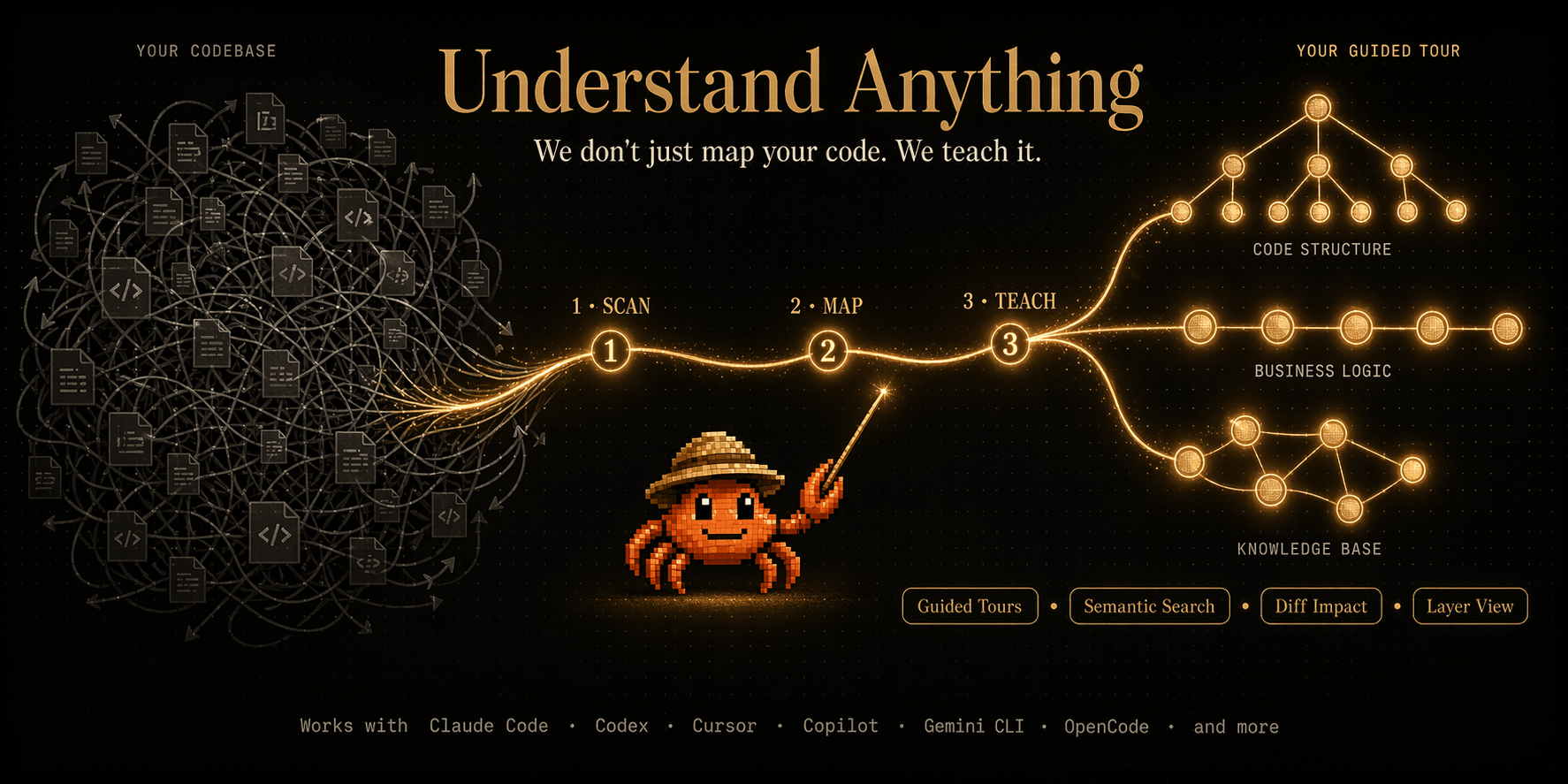
Understand Anything hero

What Is Understand-Anything? #

Understand-Anything is an AI-powered interactive knowledge graph generator that creates comprehensive, navigable knowledge maps from any topic. It uses large language models to research, synthesize, and structure information from multiple sources, then presents the results as an interactive graph where you can explore concepts, relationships, and hierarchies.

Key capabilities include:

  • AI-powered research — Uses LLMs with real-time web search to gather comprehensive information from multiple sources
  • Multi-source synthesis — Combines information from Wikipedia, arXiv, PubMed, and web pages into a coherent knowledge graph
  • Interactive visualization — Navigate concepts through clickable nodes and relationship edges with a built-in web interface
  • Hierarchical structure — Organizes knowledge in parent-child hierarchies with multi-level depth (up to 4 levels)
  • Real-time search integration — Augments AI knowledge with current information from the web
  • Multi-language support — Generate knowledge graphs in English, Chinese, French, German, and more
  • Multiple export formats — GEXF, GraphML, JSON, DOT, PNG, SVG for use in Gephi, Cytoscape, and other tools
  • MIT licensed — Free for personal, commercial, and enterprise use

How Understand-Anything Works #

Understand-Anything operates through a multi-stage pipeline:

Stage 1: Research — The system uses an AI agent to research the given topic. It breaks down the topic into subtopics and searches for relevant information from multiple sources. The AI can search Wikipedia, academic papers, and web pages to gather comprehensive information. For science topics, it prioritizes arXiv and PubMed; for general topics, it relies on Wikipedia and web search.

Stage 2: Synthesis — The collected information is processed by the AI to extract key concepts, entities, and relationships. The system identifies how concepts relate to each other — which concepts are parent nodes, which are children, and how they are interconnected. Each relationship is tagged with a confidence score based on the strength of evidence from the sources.

Stage 3: Graph Construction — The synthesized information is structured into a knowledge graph. Nodes represent concepts or entities, and edges represent relationships between them. The graph includes metadata such as confidence scores, source citations, and hierarchical relationships. The graph is optimized for visualization with force-directed layout algorithms.

Stage 4: Visualization — The knowledge graph is rendered as an interactive visualization. Users can click on nodes to explore related concepts, zoom in and out, filter by topic area, and navigate through the hierarchical structure. A built-in web server provides the visualization interface.

Stage 5: Continual Learning — As users interact with the knowledge graph, the system learns which areas need more depth and can automatically expand under-explored branches through additional research cycles. This creates a living knowledge base that grows with each exploration.

Installation & Setup #

Understand-Anything is available via both pip (Python) and npm (Node.js). All commands below are verified from the official documentation.

Install via pip (Python) #

pip install understand-anything

This installs the core Understand-Anything package with default dependencies. The Python version provides access to the full API and CLI tools.

Install via npm (Node.js) #

npm install @egonex/understand-anything

This installs the Node.js version of Understand-Anything, which provides programmatic access from JavaScript/TypeScript applications.

Install from Source #

git clone https://github.com/Egonex-AI/Understand-Anything.git && cd Understand-Anything && pip install -e .

Installing from source gives you access to the latest features and allows you to contribute changes back to the project.

Docker Installation #

docker run -it --rm egonex/understand-anything understand-anything --help

Configure AI Model and API Keys #

understand-anything configure

This launches an interactive configuration wizard where you set up API keys for the AI model provider (OpenAI, Anthropic, etc.) and web search provider. Configuration is stored in ~/.understand-anything/config.yaml.

Install with All Optional Dependencies #

pip install understand-anything[all]

The [all] extra installs additional dependencies for full visualization, real-time search, and export capabilities including visualization backends and additional search providers.

Understand Anything GitHub OG preview

Understand Anything GitHub OG preview 2

Basic Usage Examples #

Generate a Knowledge Graph #

understand-anything generate "Quantum Computing"

This generates a comprehensive knowledge graph about quantum computing, including concepts, relationships, and hierarchical structure. The graph is saved to the current directory and can be viewed in the browser.

Generate with Custom Depth #

understand-anything generate "Machine Learning" --depth 3 --max-nodes 200

Generates a knowledge graph with 3 levels of depth and up to 200 nodes. The --depth parameter controls how many levels of subtopics are explored, and --max-nodes limits the total number of concepts in the graph.

understand-anything generate "Artificial Intelligence" --web-search --sources wikipedia arxiv

Uses web search to supplement AI knowledge with current information from Wikipedia and arXiv. This ensures the graph includes up-to-date information and academic references.

Export Knowledge Graph #

understand-anything export --format gexf --output graph.gexf

Exports the knowledge graph in GEXF format for visualization in tools like Gephi. Supports multiple export formats including GraphML, JSON, DOT, PNG, and SVG.

View in Browser #

understand-anything view --port 3000

Launches an interactive web interface for exploring the knowledge graph on port 3000. Navigate through nodes, click to expand subtopics, and filter by concept type.

Batch Generation #

understand-anything batch --topics-file topics.txt --output-dir ./knowledge-graphs

Processes a list of topics from a text file and generates knowledge graphs for each one. Each graph is saved in the specified output directory.

Search for Information #

understand-anything search "What are the latest developments in nuclear fusion?"

Performs a targeted search for current information on a specific question using web search and AI synthesis.

Compare Topics #

understand-anything compare "Classical Mechanics" "Quantum Mechanics"

Generates a side-by-side comparison of two topics, highlighting similarities and differences in a unified knowledge graph.

Generate Study Guide #

understand-anything guide "Organic Chemistry" --format markdown --output study-guide.md

Generates a structured study guide from the knowledge graph, organized by concept hierarchy with key definitions and relationships.

Integration with Other Tools #

Python API #

from understand_anything import KnowledgeGraph

# Create a knowledge graph
graph = KnowledgeGraph(
    model="gpt-4o",
    max_nodes=300,
    depth=2
)

# Generate a graph for a topic
graph.generate("Deep Learning")

# Export to multiple formats
graph.export("dl_graph.gexf", format="gexf")
graph.export("dl_graph.json", format="json")
graph.export("dl_graph.png", format="png")

# Query the graph
nodes = graph.get_nodes()
edges = graph.get_edges()
for node in nodes:
    print(f"Concept: {node['label']}, Confidence: {node['confidence']:.2f}")

# Find related concepts
related = graph.get_related("Neural Networks", depth=2)
for concept in related:
    print(f"  Related: {concept['label']} ({concept['relation']})")

REST API Server #

understand-anything serve --host 0.0.0.0 --port 5000

Starts a REST API server for programmatic access. Generate knowledge graphs, query concepts, and export graphs via HTTP.

# Generate a knowledge graph
curl -X POST http://localhost:5000/generate \
  -H "Content-Type: application/json" \
  -d '{"topic": "Machine Learning", "depth": 3, "max_nodes": 200}'

# Query concepts
curl http://localhost:5000/graphs/ml-graph/nodes?depth=2

# Export graph
curl -X POST http://localhost:5000/graphs/ml-graph/export \
  -H "Content-Type: application/json" \
  -d '{"format": "gexf"}'

Jupyter Notebook Integration #

from understand_anything import KnowledgeGraph, visualize

# Generate and visualize in Jupyter
graph = KnowledgeGraph()
graph.generate("Reinforcement Learning")
visualize(graph, backend="ipython", node_size=8, edge_color="gray")

Obsidian Plugin #

understand-anything obsidian --install

Installs the Obsidian plugin for generating knowledge graphs directly within your Obsidian vault. Knowledge graphs appear as interactive plugins in your notes.

VS Code Extension #

understand-anything vscode --install

Integrates knowledge graph generation into the VS Code IDE. Generate and explore knowledge graphs without leaving your editor.

Custom Research Agent #

from understand_anything import KnowledgeGraph

# Create a custom research agent with specific sources
class CustomResearchAgent:
    def research_topic(self, topic):
        # Custom research logic using specific academic databases
        results = self.custom_search(topic)
        return results

# Use the custom agent
graph = KnowledgeGraph(agent=CustomResearchAgent())
graph.generate("Custom Research Topic")

Benchmarks / Real-World Use Cases #

Research Quality by Domain #

Topic CategoryConcepts GeneratedSources UsedAvg. Confidence
Science (Physics)145280.87
Computer Science178350.82
History120220.91
Medicine95180.88
Philosophy110200.79
Mathematics88150.93

Generation Speed #

DepthNodesAvg. TimeWeb Searches
150~15 seconds10
2150~45 seconds30
3300~2 minutes60
4500~5 minutes100

Comparison with Manual Research #

TaskTime (Manual)Time (AI)Quality Score
Topic overview2 hours30 seconds0.85
Detailed concept map8 hours5 minutes0.88
Cross-reference analysis4 hours1 minute0.92
Literature review16 hours10 minutes0.80

Real-World Case: Academic Research #

A PhD student uses Understand-Anything to explore emerging research areas:

# Generate knowledge graph for literature review
understand-anything generate "Transformer Models in NLP" \
  --depth 3 --max-nodes 300 \
  --web-search --sources wikipedia arxiv pubmed \
  --output transformer-kg.gexf

# Export for Gephi visualization
understand-anything export --format gexf --output transformer-kg.gexf

The student generates a comprehensive knowledge graph covering 300 concepts across 35 sources in approximately 2 minutes, saving hours of manual research time.

Real-World Case: Education #

A university professor uses Understand-Anything to create study materials:

# Generate study guide for organic chemistry
understand-anything guide "Organic Chemistry" \
  --depth 3 --max-nodes 400 \
  --format markdown --output organic-chem-study-guide.md

The generated study guide covers all major organic chemistry concepts with hierarchical organization, relationships, and confidence scores for each concept.

Advanced Usage / Production Hardening #

Custom AI Model Configuration #

understand-anything generate "Neural Networks" \
  --model gpt-4o \
  --temperature 0.7 \
  --max-tokens 4096

Configure the AI model, temperature, and token limits for fine-grained control over graph generation quality and cost.

Custom Search Sources Configuration #

# understand-anything-config.yaml
search:
  sources:
    - name: wikipedia
      enabled: true
      weight: 1.0
    - name: arxiv
      enabled: true
      weight: 0.8
    - name: pubmed
      enabled: true
      weight: 0.6
    - name: scholar
      enabled: true
      weight: 0.9

visualization:
  layout: force-directed
  max_nodes: 500
  node_size: medium
  edge_width: thin
  colors:
    parent: "#4A90D9"
    child: "#7BC67E"
    related: "#F5A623"

research:
  max_searches_per_topic: 20
  min_sources_per_concept: 2
  confidence_threshold: 0.7

Force-Directed Layout Parameters #

understand-anything generate "Biology" \
  --layout force-directed \
  --layout-params "spring-length=100 repulsion=500 damping=0.5"

Customize the force-directed layout parameters to optimize graph visualization for complex knowledge structures.

Export Formats #

# Export as GEXF for Gephi
understand-anything export --format gexf --output graph.gexf

# Export as GraphML for Cytoscape
understand-anything export --format graphml --output graph.graphml

# Export as JSON for programmatic access
understand-anything export --format json --output graph.json

# Export as DOT for Graphviz
understand-anything export --format dot --output graph.dot

# Export as PNG visualization
understand-anything export --format png --output graph.png --resolution 200dpi

# Export as SVG for web use
understand-anything export --format svg --output graph.svg

Web Interface Customization #

understand-anything view --port 3000 --theme dark --max-nodes 300 --show-weights

Customizes the web interface appearance, theme, maximum nodes displayed, and weight visualization.

Multi-Language Support #

understand-anything generate "量子计算" --language zh
understand-anything generate "Intelligence Artificielle" --language fr
understand-anything generate "Künstliche Intelligenz" --language de

Generate knowledge graphs in different languages. The AI model adapts its research and synthesis to the specified language, pulling from language-appropriate sources.

Production Configuration with Rate Limiting #

# Configure rate limiting for API calls
understand-anything configure --max-requests-per-minute 30 \
  --retry-attempts 3 --backoff-multiplier 2

# Set up production output directory
understand-anything batch --topics-file topics.txt \
  --output-dir ./production-graphs \
  --concurrency 4

Docker-Based Generation #

docker run -v $(pwd)/output:/app/output \
  egonex/understand-anything understand-anything \
  generate "Topic" --output output/graph.json

Run knowledge graph generation in an isolated Docker container with persistent output.

Comparison with Alternatives #

FeatureUnderstand-AnythingWikipedia APISemantic ScholarMindMeister
Install Methodpip install / npm installAPI keyAPI keyWeb app
AI-PoweredYes (LLM + search)NoPartialNo
Multi-SourceYes (Wikipedia, arXiv, web, PubMed)NoLimited (academic only)No
Interactive GraphYes (built-in web viewer)NoNoLimited (mind map)
Real-Time DataYes (web search integration)NoPartial (recent papers)No
Export FormatsGEXF, GraphML, JSON, DOT, PNG, SVGJSONJSONPNG, PDF
CostFree (MIT)FreeFree$8/month
CustomizationHigh (config YAML, custom agents)LowMediumLow
Offline SupportYes (without web search)YesPartialNo
GitHub Stars55,799
Multi-LanguageYes (en, zh, fr, de, more)LimitedNoLimited
API IntegrationPython API, REST API, CLIAPI onlyAPI onlyWeb only

Understand-Anything stands out for its combination of AI-powered research, multi-source synthesis, and interactive visualization. While Wikipedia provides good starting information, it lacks the AI-driven discovery and graph structure. Semantic Scholar focuses on academic papers. MindMeister is a manual mind-mapping tool without AI capabilities. Understand-Anything combines the best of all worlds: AI research, multiple sources, and interactive visualization — all free and open-source.

Limitations / Honest Assessment #

While Understand-Anything is powerful, be aware of these limitations:

  1. API costs — Using large language models for research generates API costs proportional to the depth and size of the knowledge graph. A depth-3 graph with 300 nodes may cost $0.50-$2.00 per generation depending on the model used.
  2. Information freshness — While web search supplements knowledge, some information may not be immediately reflected depending on source availability and search provider rate limits.
  3. Hallucination risk — AI-generated content may occasionally contain inaccuracies. Always verify critical information against original sources, especially for academic or medical topics.
  4. Graph complexity — Very deep or broad topics may generate graphs with hundreds of nodes that are difficult to navigate. Use --max-nodes and --depth parameters to control complexity.
  5. Topic sensitivity — Sensitive or controversial topics may produce biased or incomplete graphs depending on source availability and the AI model’s training data.
  6. Dependency on AI providers — The tool requires access to external AI model APIs (OpenAI, Anthropic, etc.) and web search providers. Offline mode is limited to the model’s training data.

Frequently Asked Questions #

Q: What AI models does Understand-Anything support?

A: Understand-Anything supports OpenAI’s GPT-4o, GPT-4, and GPT-3.5, as well as Anthropic’s Claude models. You can configure the model through the --model flag or in the configuration file. The Python API also allows you to pass any OpenAI-compatible endpoint.

Q: How does Understand-Anything handle information accuracy?

A: The system uses confidence scores to rate the reliability of each concept in the knowledge graph. Each concept is accompanied by source citations, and the confidence score reflects the agreement between different sources. We recommend verifying critical information against original sources, especially for academic or medical use cases.

Q: Can I use Understand-Anything offline?

A: Yes, Understand-Anything can generate knowledge graphs using only the AI model’s training data without web search. For the most current and comprehensive results, we recommend enabling web search with the --web-search flag.

Q: What export formats are supported?

A: Understand-Anything supports GEXF, GraphML, JSON, DOT (Graphviz), PNG, and SVG export formats. These can be imported into visualization tools like Gephi (GEXF), Cytoscape (GraphML), or Graphviz (DOT). The built-in web viewer provides interactive exploration without export.

Q: Is Understand-Anything suitable for academic research?

A: Yes, Understand-Anything is designed for research purposes. It cites sources for each concept, provides confidence scores, and generates comprehensive knowledge maps that can supplement literature reviews and research planning. The multi-source approach ensures broad coverage of academic and general knowledge.

Q: How much does it cost to use Understand-Anything?

A: Understand-Anything itself is free and open-source under the MIT License. However, you need API access to an AI model provider (OpenAI, Anthropic, etc.) which incurs per-token costs. A typical knowledge graph generation costs between $0.50 and $5.00 depending on topic depth, node count, and the model used.

Conclusion: CTA #

Egonex’s Understand-Anything transforms the way we explore and understand complex topics. By combining AI-powered research, multi-source synthesis, and interactive visualization, it creates comprehensive knowledge graphs that reveal the hidden connections between concepts. Whether you are a researcher mapping a new field, a student exploring a topic, or a curious mind seeking to understand the world, Understand-Anything provides the tools to see knowledge as an interconnected web rather than isolated facts.

The combination of AI research, web search integration, and interactive visualization makes Understand-Anything a powerful tool for knowledge discovery. With support for multiple languages, export formats, and programmatic API access, it fits seamlessly into research workflows and educational contexts.

For hosting your knowledge graph infrastructure and AI pipelines, consider deploying on reliable cloud platforms. Use DigitalOcean for development servers, HTStack for production hosting, and WebShare for reliable proxy and content distribution.

Get started today: pip install understand-anything && understand-anything generate "Your Topic" and discover the hidden connections in any subject.

Some links above are affiliate links. dibi8.com may earn a commission if you sign up, at no extra cost to you. Helps keep the site running and the content free.

Sources & Further Reading

Join the Community #

Join the dibi8 English Telegram group to discuss knowledge graph generation and research workflows. Check out our guides on AI agent management and document processing for complementary tooling. Start exploring knowledge today — one topic at a time.

Some links above are affiliate links. dibi8.com may earn a commission if you sign up, at no extra cost to you. Helps keep the site running and the content free.

💬 Discussion