jcode: The Terminal Coding Agent That Uses 21x Less RAM Than Claude Code
jcode is an MIT-licensed terminal coding-agent harness benchmarked at 6-21x lower RAM usage and up to 245x faster startup than Claude Code, Cursor Agent, and Codex CLI, with a semantic agent-memory system, multi-agent "Swarm" collaboration, and native browser automation.
- ⭐ 15169
- Rust
- MIT
- Updated 2026-08-02
Claude Code • TencentDB Agent Memory: A Team-Level Memory Hub
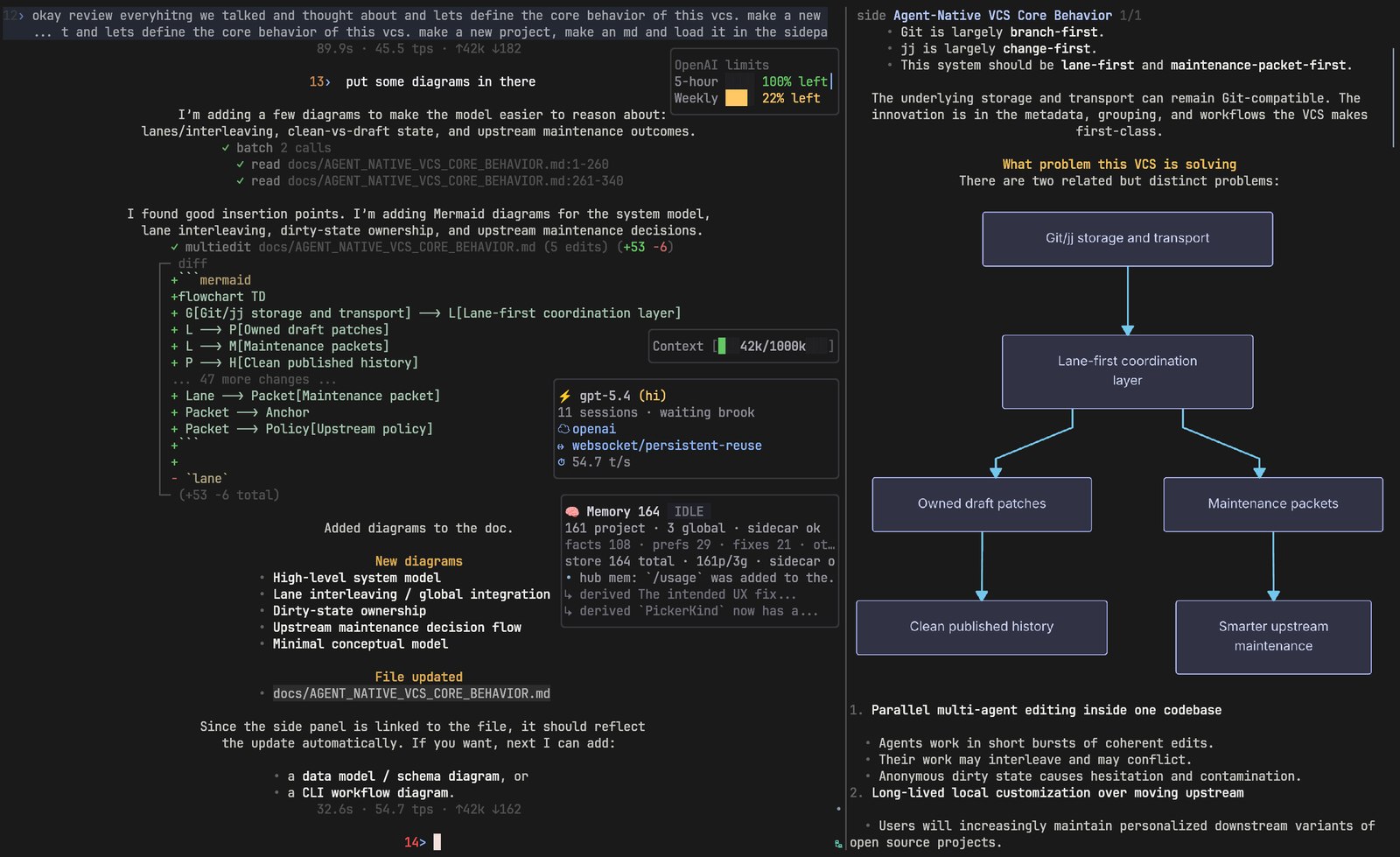
What Is jcode? #
jcode bills itself with two blunt claims right in the README: “the most RAM efficient harness” and “the most intelligent harness.” It’s a terminal-based (TUI) coding-agent harness — MIT licensed, cross-platform (Linux/macOS/Windows) — built around the idea that a coding agent’s runtime overhead shouldn’t scale linearly with how many sessions you’re running.
🔗 GitHub: https://github.com/1jehuang/jcode 🌐 Website: https://jcode.sh · Benchmarks: jcode.sh/bench
At 15,100+ GitHub stars and a commit from August 2, 2026 — the same day as this article — it’s under active, fast-moving development rather than a stable-and-settled release.
The Headline Claim: Resource Efficiency, With Receipts #
The README backs its efficiency claim with a versioned benchmark table (exact tool versions listed — jcode v0.9.1888-dev, Claude Code 2.1.86, Cursor Agent 2026.04.08-a41fba1, etc.) comparing PSS (proportional set size) RAM usage against Claude Code, Codex CLI, Cursor Agent, OpenCode, GitHub Copilot CLI, Antigravity CLI, and pi.
RAM usage #
| Tool | 1 session | 10 sessions |
|---|---|---|
| jcode (local embedding off) | 27.8 MB | 117.0 MB |
| jcode | 167.1 MB | 260.8 MB |
| Codex CLI | 140.0 MB (5.0x) | 334.8 MB (2.9x) |
| Cursor Agent | 214.9 MB (7.7x) | 1632.4 MB (14.0x) |
| GitHub Copilot CLI | 333.3 MB (12.0x) | 1756.5 MB (15.0x) |
| Claude Code | 386.6 MB (13.9x) | 2300.6 MB (19.7x) |
| OpenCode | 371.5 MB (13.4x) | 3237.2 MB (27.7x) |
Startup speed (time to first rendered frame) #
| Tool | Time to first frame | vs. jcode |
|---|---|---|
| jcode | 14.0 ms | baseline |
| Antigravity CLI | 383.5 ms | 27.4x slower |
| Codex CLI | 882.8 ms | 63.1x slower |
| Cursor Agent | 1949.7 ms | 139.3x slower |
| Claude Code | 3436.9 ms | 245.5x slower |
Read this honestly: these are the maintainer’s own numbers, on one specific Linux machine, with listed tool versions and a stated methodology (10 interactive PTY launches per tool) — a real, reproducible benchmark, but self-reported and single-machine. The multiplier you’ll see will vary by hardware and tool version; the qualitative pattern (a Rust-based terminal harness using meaningfully less RAM and starting meaningfully faster than Electron/Node-based competitors) is the more durable takeaway than any specific “245x.”
Installation & Quickstart #
Install #
# macOS & Linux
curl -fsSL https://jcode.sh/install | bash
# Windows 11 (PowerShell 5.1+)
irm https://jcode.sh/install.ps1 | iex
Basic usage #
# Launch the TUI
jcode

# Run a single command non-interactively
jcode run "say hello"

# Resume a previous session by memorable name
jcode --resume fox

# Run as a persistent background server, then attach more clients
jcode serve
jcode connect
The persistent server/client model (jcode serve + jcode connect) is part of what keeps the 10-session numbers so much lower than competitors that spin up a fresh process per session.
Agent Memory: Semantic Recall Without Manual Tool Calls #
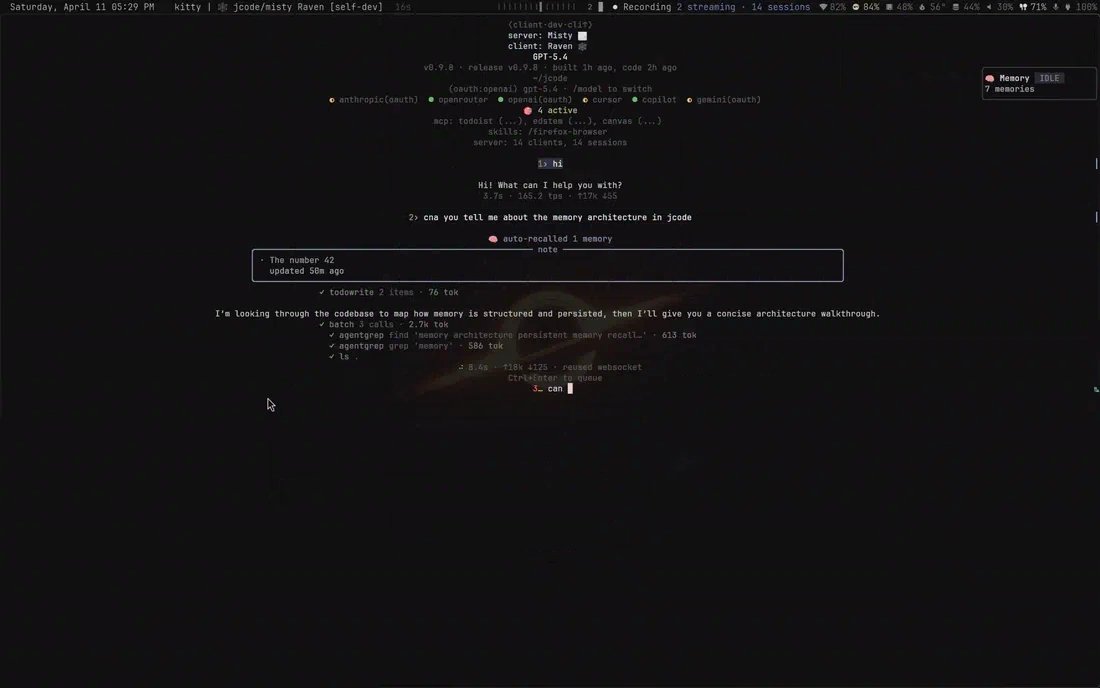
jcode embeds each conversation turn as a semantic vector and queries a memory graph via cosine similarity to surface relevant prior context automatically — without the agent needing to actively call a memory tool for every recall. Memories get extracted periodically (on semantic drift, after K turns, at session end) by a dedicated memory sub-agent, and are periodically consolidated in the background (“ambient mode”) to reorganize, deduplicate, and resolve staleness or conflicts.
For cases where automatic recall isn’t enough, jcode also exposes explicit memory tools the agent can call directly, plus traditional RAG-style search across previous sessions.
Swarm: Multiple Agents, One Repo, Automatic Conflict Awareness #
Spawn two or more agents working in the same repository, and jcode’s server coordinates them: if agent A edits a file agent B has already read, the server notifies agent B so it can check whether the change actually conflicts with its own work before continuing. Agents can DM each other directly, broadcast to the whole swarm, or scope messages to just the agents working in a given repo.
Agents can also spawn their own sub-swarms autonomously — turning the spawning agent into a coordinator and the new agents into parallel workers, with messaging, completion status, and lifecycle all managed automatically. This works both headless and inside the TUI.
Browser Automation, Built In #
jcode ships a first-class browser tool (Firefox, via a Firefox Agent Bridge, as the current backend) directly in agent sessions:
jcode browser status
jcode browser setup
Once set up, the agent can call open, snapshot, click, type, fill_form, select, screenshot, scroll, upload, and more — without a separate browser-automation MCP server. The tool architecture is designed to support additional backends (e.g. a Chrome remote-debugging bridge) later; Firefox is what’s actually wired up today.
Providers: Bring the Subscription You Already Pay For #
Built-in OAuth login flows:
jcode login --provider claude
jcode login --provider openai
jcode login --provider gemini
jcode login --provider copilot
jcode login --provider azure
jcode login --provider alibaba-coding-plan
Beyond those, a shared OpenAI-compatible provider layer covers named profiles (openrouter, deepseek, zai, kimi, moonshotai, and others) plus arbitrary self-hosted endpoints:
# Local vLLM, no API key required
jcode provider add local-vllm \
  --base-url http://localhost:8000/v1 \
  --model Qwen/Qwen3-Coder-30B-A3B-Instruct \
  --no-api-key \
  --set-default
# Ollama
ollama pull llama3.2
jcode login --provider ollama
jcode --provider ollama --model llama3.2 run 'hello'
The practical implication: you can point jcode at Claude, ChatGPT, Gemini, Copilot, a local Ollama model, or a self-hosted vLLM instance without switching harnesses.
jcode vs. Electron/Node-Based Coding Agents #
| Aspect | jcode | Typical Electron/Node harness (Claude Code, Cursor, Copilot CLI) |
|---|---|---|
| Runtime overhead | Reported 6-21x lower RAM | Baseline (heavier runtime) |
| Startup time | Reported 14ms first frame | Reported 380ms-3400ms+ |
| Multi-session model | Persistent server + lightweight clients | Typically one process per session |
| Agent memory | Built-in semantic memory graph | Varies, often none or basic |
| Multi-agent coordination | Built-in Swarm with conflict notification | Typically not built in |
| Browser automation | Built-in browser tool | Usually via separate MCP server |
| License | MIT | Varies |
Use Cases #
1. Running Many Concurrent Agent Sessions on One Machine #
The 10-session RAM numbers (jcode ~260MB vs. Claude Code ~2.3GB) matter most if you’re running several agent sessions in parallel — a laptop or a shared dev box hits resource limits far later with jcode’s persistent-server model.
2. Multi-Agent Workflows Without Manual Conflict Resolution #
Swarm’s automatic file-conflict notification is aimed at teams (or solo devs) running multiple agents against the same repo simultaneously, without wanting to manually coordinate who’s touching what.
3. Agent Sessions That Remember Across Restarts #
The semantic memory graph plus --resume <name> means long-running or recurring work doesn’t require re-explaining project context every session.
4. Keeping Your Existing LLM Subscription #
If you already pay for Claude, ChatGPT/Codex, Gemini, or GitHub Copilot, jcode’s OAuth login flows let you use those subscriptions directly rather than provisioning a separate API key just to try a different harness.
Related Repositories #
| Repository | Purpose |
|---|---|
| mermaid-rs-renderer | The custom mermaid-diagram renderer built to power jcode’s side-panel diagram rendering |
| handterm | A work-in-progress custom terminal built to support jcode’s smooth custom scrollback |
Related Articles #
- Claude Code — the baseline jcode’s own benchmark compares against directly
- TencentDB Agent Memory: A Team-Level Memory Hub — for team-scoped, governed memory versus jcode’s per-agent semantic memory graph
Conclusion #
jcode makes a specific, testable bet: a terminal coding-agent harness doesn’t need Electron-level resource overhead to be full-featured, and backs it with a versioned, reproducible benchmark rather than a vague marketing claim. Beyond the efficiency angle, it’s not a stripped-down tool — semantic agent memory, multi-agent Swarm coordination with automatic conflict awareness, and built-in browser automation put it closer to feature parity with heavier competitors, not behind them. Shipping under MIT with a commit the same day as this article, it’s worth a trial run if you’ve hit resource limits running multiple agent sessions with a heavier harness.
Best for: Developers running multiple concurrent coding-agent sessions who’ve hit RAM or startup-time limits with Electron/Node-based tools, and who want built-in memory and multi-agent coordination without assembling it from separate MCP servers.
GitHub: https://github.com/1jehuang/jcode
Last updated: 2026-08-02
💬 Discussion