OpenAI Codex CLI: The Definitive 2026 Guide to Terminal-Native
Master OpenAI Codex CLI—the fastest-growing open-source AI coding agent of 2026. This complete guide covers zero-to-hero installation, AGENTS.md configuration, multi-agent parallel development, MCP integration, sandbox security, and head-to-head comparison with Claude Code. Boost your developer productivity today.
- ⭐ 96046
- Python
- Apache-2.0
- Updated 2026-05-17
Persistent Memory for AI Coding Agents in 2026 • cc-switch: The Cross-Platform Desktop CLI Control Center That
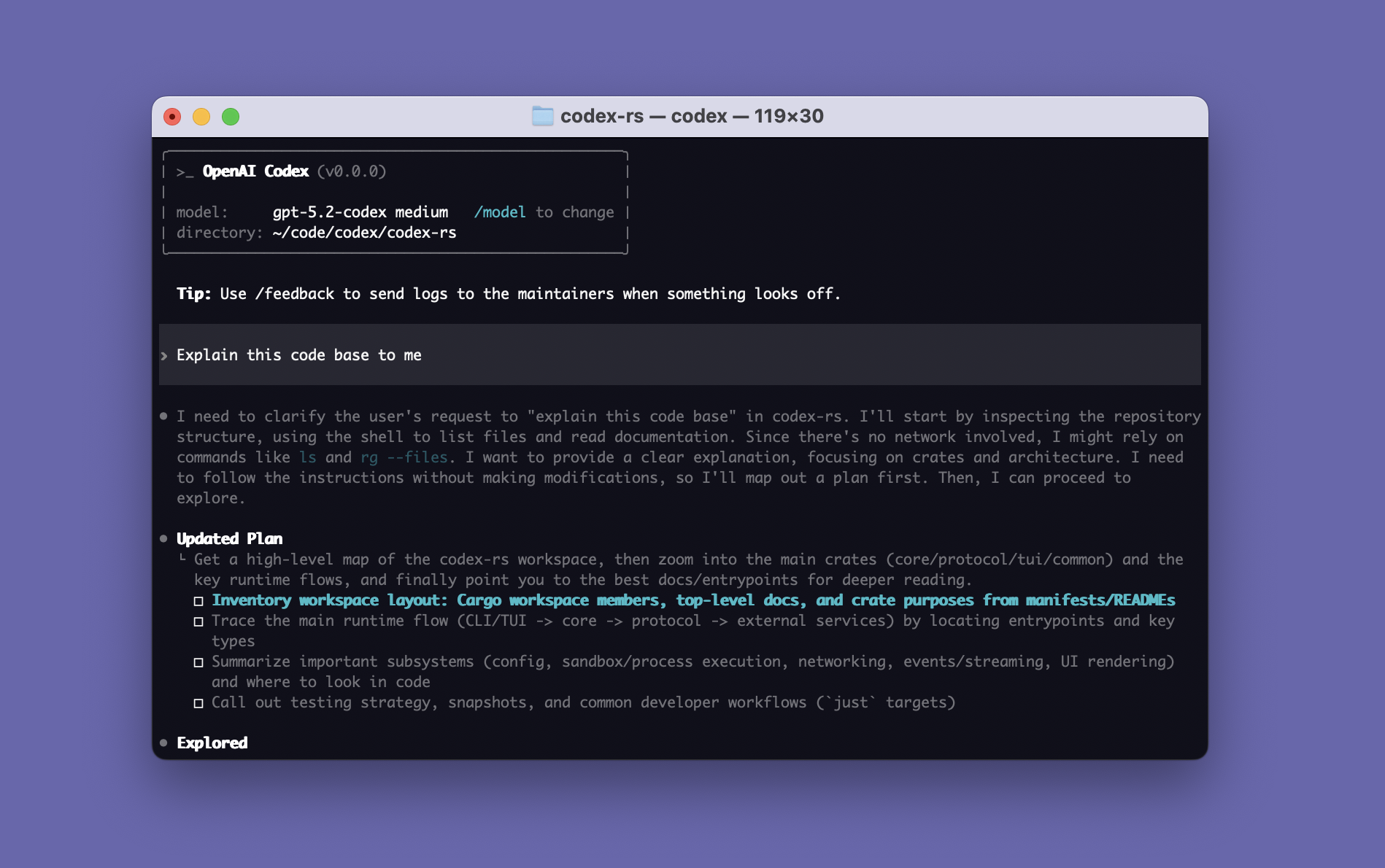
What Is OpenAI Codex CLI and Why Developers Are Switching in 2026 #
The developer tooling landscape has shifted dramatically between 2025 and 2026. We have moved from static code completion (GitHub Copilot) to conversational coding (ChatGPT, Cursor) and now to terminal-native autonomous agents—AI systems that live inside your terminal, understand your entire codebase, and execute real engineering tasks.
OpenAI Codex CLI sits at the center of this shift. With 83,000+ GitHub stars and one of the fastest growth trajectories in the AI developer tools category, it is not merely a chatbot wrapper. It is an open-source, Rust-built coding agent that reads files, edits code, runs shell commands, executes tests, performs code reviews, and delegates long-running tasks to cloud sandboxes.
Here is what distinguishes Codex CLI from earlier-generation tools:
- Zero marginal cost for ChatGPT subscribers — If you already pay for Plus ($20/month) or Pro ($200/month), Codex CLI usage is bundled. No separate API billing.
- Fully open source (Apache-2.0) — Fork it, audit it, extend it. The Rust rewrite from the original TypeScript base delivers sub-second cold starts.
- Four entry points, one shared state — Start a task in VS Code, hand it off to the cloud agent while you sleep, and merge the PR from GitHub the next morning.
- Multi-agent concurrency — Run up to 6 parallel sub-agents with distinct roles: explorer, worker, reviewer, tester.
- MCP-native — First-class Model Context Protocol support for connecting databases, APIs, documentation systems, and observability platforms.
- Enterprise-grade sandboxing — Linux Landlock and macOS Seatbelt restrict filesystem access; network egress is opt-in; every action is auditable.
If you are still copy-pasting snippets from a browser tab, this tool will fundamentally restructure how you write software.
Zero-to-Production Installation in Under Five Minutes #
Prerequisites #
- Node.js 18+ (for the npm path)
- Or macOS with Homebrew (native Rust binary, no Node dependency)
- A ChatGPT Plus, Pro, Business, or Enterprise subscription — OR — an OpenAI API key
Three Install Paths #
Option A: npm (cross-platform)
npm install -g @openai/codex
codex --version
Option B: Homebrew (macOS native binary)
brew update
brew install --cask codex
codex --version
Option C: One-line installer
curl -sSL https://releases.openai.com/codex/install.sh | bash
Authentication #
codex login
Your default browser opens the OpenAI authorization flow. Sign in with your ChatGPT account, approve the OAuth request, and return to the terminal. No API key management. No separate billing dashboard. Your usage counts against your ChatGPT plan quota.
For teams requiring API-key mode (common in enterprise environments where shared subscriptions are insufficient):
export OPENAI_API_KEY="sk-..."
codex
Or persist it in ~/.codex/config.toml:
preferred_auth_method = "apikey"
First Task: The Canonical Smoke Test #
Navigate to any repository and issue a bounded task:
cd ~/projects/your-repo
codex "Add a unit test for the parseDate function in src/utils/date.ts. Cover valid inputs, edge cases, and invalid formats. Run the test suite and confirm all tests pass."
Watch Codex:
- Scan the repository to identify the test framework (Jest, Vitest, Mocha, pytest, etc.)
- Read the implementation of
parseDate - Generate a test file with meaningful cases
- Execute the tests
- Present a diff and ask for approval before writing to disk
The Mental Model Shift: From Typing Code to Directing Agents #
The single most important adaptation when using Codex CLI is changing your self-conception. You are no longer the person who types every semicolon. You are the engineering lead who delegates tasks to an AI teammate—and that teammate needs context, constraints, and clear acceptance criteria.
The Four-Element Prompt Structure #
| Element | Purpose | Example |
|---|---|---|
| Objective | What to build or modify | “Implement JWT-based auth middleware” |
| Context | Which files, frameworks, or conventions matter | “Use Go + Gin. Database connection is in db/conn.go. Follow existing error handling patterns.” |
| Constraints | Rules that must not be violated | “Do not break the existing REST API contract. Every new function must have unit tests.” |
| Verification | How to prove the task is complete | “Run go test ./.... All tests pass. Provide curl commands to test login and refresh flows.” |
Weak prompt: “Write a login function.”
Strong prompt:
“Build a user authentication system for this Go/Gin project:
- Registration and login REST endpoints with JWT tokens
- MySQL user table schema matching the existing conventions in db/schema.sql
- Run the server and give me curl commands to verify registration and login end-to-end.”
Codex will scaffold the package structure, write the handlers, wire the database layer, install dependencies, start the server, and hand you working curl commands.
Three Approval Modes for Different Trust Levels #
| Mode | File Read | File Edit | Command Execution | When to Use |
|---|---|---|---|---|
| Auto (default) | Auto-allowed | Requires approval | Requires approval | Daily development; safe default |
| Read Only | Auto-allowed | Prohibited | Prohibited | Codebase exploration, onboarding, audits |
| Full Access | Auto-allowed | Auto-allowed | Auto-allowed | CI/CD containers, isolated VMs, trusted automation |
Launch flags:
codex --sandbox read-only              # Pure analysis; zero mutation risk
codex --sandbox workspace-write        # Can edit files; untrusted commands still require approval
codex --full-auto                      # Automates approvals; sandbox still active
codex --yolo                           # Disables sandbox AND approvals. Isolated environments ONLY.
Critical safety note: --yolo (long form: --dangerously-bypass-approvals-and-sandbox) is intended exclusively for throwaway containers, CI runners, and sandboxed VMs. Never run it against a production repository on your local workstation.
AGENTS.md: The Single File That Determines Code Quality #
Codex CLI automatically discovers and reads AGENTS.md files before every task. Think of this as the onboarding document you would give a new human engineer—except your new teammate reads it in milliseconds and follows it with perfect recall.
A Production-Ready AGENTS.md Template #
# AGENTS.md — AI Engineering Assistant Guide

## Repository Layout
- `src/` — Business logic; all handlers, services, and domain models
- `tests/` — Mirror structure of `src/`; one test file per source file
- `migrations/` — Alembic-managed database migrations; never edit by hand

## Technology Stack & Standards
- Runtime: Python 3.11+
- Web Framework: FastAPI with async route handlers
- Formatting: Black (line length 100) + isort
- Type Hints: Required on every function signature and public class attribute

## Testing Requirements
- Command: `pytest tests/`
- Coverage threshold: 85% for new features
- Async tests: Must use `pytest-asyncio` with `@pytest.mark.asyncio`

## Git & CI
- Commit format: `[Type] Short description` — Type ∈ {Feat, Fix, Refactor, Docs, Test}
- No direct pushes to `main`; all changes through PR with at least one review
- Pre-merge checks: lint → typecheck → test → build
Hierarchical Configuration for Monorepos #
Place root-level AGENTS.md for global conventions. Add nested AGENTS.md files inside subdirectories (e.g., src/ml/, src/api/) for module-specific rules. Codex merges configurations with proximity-based precedence—closer files override distant ones.
Multi-Agent Parallel Development: One Human, Multiple AI Teammates #
The post-April-2026 Codex CLI introduces Subagents—concurrently running specialized agents that collaborate on a single feature without blocking each other.
Standard Agent Roles #
| Role | Responsibility | Trigger |
|---|---|---|
| Explorer | Map repository structure, identify dependencies, locate relevant files | Auto-attached to complex tasks |
| Worker | Implement code changes, create files, modify logic | Default primary agent |
| Reviewer | Audit changes for correctness, security, and style compliance | /review or pre-merge hook |
| Tester | Generate test cases, validate coverage, reproduce reported bugs | Explicitly requested in prompt |
Real-World Parallel Workflow #
Imagine adding a “loyalty discount” feature to an e-commerce backend. Instead of sequencing work, you parallelize it across three surfaces:
Terminal 1 — Implementation (CLI):
codex "Add `loyalty_discount(price, customer_tier)` to pricing.py. Tiers: bronze(0%), silver(5%), gold(10%). Reject unknown tiers with ValueError. Do not modify any other function."
Cloud 2 — Test Generation (chatgpt.com/codex):
“Generate exhaustive tests in test_pricing.py for loyalty_discount covering each tier, unknown tier, negative price, zero price, and decimal prices. Do not modify pricing.py—assume the function will exist.”
VS Code 3 — Documentation (IDE extension):
“Add a section to README.md documenting loyalty_discount: signature, tier table, and one usage example.”
All three tasks proceed simultaneously. When the implementation lands, tests validate it, and documentation is already live. No human waiting time between sequential stages.
MCP & Skills: Extending Codex Beyond Code #
Model Context Protocol (MCP) Integrations #
MCP has become the universal adapter for AI tools in 2026. Codex CLI ships with first-class MCP support, enabling direct connections to:
- PostgreSQL / MySQL / Redis — Query schema and sample data as context for code generation
- Stripe / Twilio / SendGrid APIs — Read OpenAPI specs to generate typed SDK calls
- Notion / Confluence / Internal Wikis — Pull business rules and feature specifications into the coding session
- Datadog / Sentry / CloudWatch — Ingest error traces to auto-diagnose and patch production incidents
Command references:
codex /mcp          # List configured MCP servers and tools
codex /apps         # Browse and activate available app connectors
Skills Catalog: Reusable Workflow Automation #
Recurring prompt patterns should be encapsulated as Skills—shareable, versioned instruction sets.
$skill-creator # Interactive wizard for authoring new skills
Skills follow the open Agent Skills standard, making them portable across Codex CLI, Claude Code, and GitHub Copilot. Typical skill applications:
- Localization PR generation (extract strings → translate → open PR)
- Security audit checklists (scan for SQL injection, XSS, secrets leakage)
- Release note drafting from commit history
- Migration scripts (Python 2→3, Flask→FastAPI, JavaScript→TypeScript)
Security Architecture: Why Enterprises Are Approving Codex CLI #
Developer adoption is only half the battle; enterprise security teams are the gatekeepers. Codex CLI addresses their concerns with a defense-in-depth model:
| Layer | Technology | What It Protects |
|---|---|---|
| Filesystem sandbox | Linux Landlock / macOS Seatbelt | Restricts file access to designated workspace trees |
| Network egress control | Default deny; opt-in per command | Prevents accidental data exfiltration to unauthorized endpoints |
| Approval gating | Three-mode policy engine | Human-in-the-loop or policy-driven auto-approval |
| Audit trail | Local SQLite database | Every file read, edit, and command execution is timestamped and diffable |
| Environment variable filtering | Configurable allowlists/denylists | Blocks secrets (API keys, passwords) from being logged or transmitted |
For regulated industries, additional enterprise controls include:
- Hook Engine: Intercept prompts pre-submission for compliance scanning; auto-trigger post-execution tests
- RBAC Workspaces: Separate admin and user scopes with different approval thresholds
- Context Compaction: Automatically compress long-running session history to prevent sensitive data from lingering in context windows
Model Selection: GPT-5.3-Codex vs. GPT-5.3-Codex-Spark #
Codex CLI defaults to gpt-5.3-codex, OpenAI’s flagship coding-optimized model. A second variant, Spark, was introduced in early 2026 for latency-critical workflows.
| Model | Strength | Ideal Use Case | Availability |
|---|---|---|---|
| gpt-5.3-codex | Deep reasoning, architecture design, multi-file refactoring, code review | Complex migrations, bug archaeology, security audits | All ChatGPT paid tiers |
| gpt-5.3-codex-spark | 1,000+ tokens/second; sub-100ms first-token latency | Live pair programming, rapid UI iteration, interactive debugging | ChatGPT Pro only (research preview) |
Spark is co-engineered with Cerebras on the WSE-3 wafer-scale chip—the first production OpenAI model not running on NVIDIA silicon. It minimizes target edits by default and does not auto-run tests, so it is best for tight feedback loops rather than autonomous long-horizon tasks.
Switch models on the fly:
codex -m gpt-5.3-codex
codex -m gpt-5.3-codex-spark
/model                    # Interactive model menu during session
Tune reasoning effort per task type:
# ~/.codex/config.toml
model_reasoning_effort = "high"      # Architecture, debugging, audits
model_reasoning_effort = "medium"    # Daily coding, tests, refactors (default)
model_reasoning_effort = "low"       # Formatting, renaming, simple queries
Codex CLI vs. Claude Code: An Unbiased Decision Framework #
Both tools dominate the terminal AI coding space in 2026. The right choice depends on your existing subscriptions, codebase scale, and workflow preferences.
| Dimension | Codex CLI | Claude Code |
|---|---|---|
| Pricing | Bundled with ChatGPT Plus/Pro/Business | Separate Anthropic subscription (Pro $20/mo, Max tiers $100–200/mo) |
| License | Apache-2.0, fully open source | Closed source; API access only |
| Context window | 1M tokens (advertised) | 1M+ tokens (demonstrably stronger on 100k+ file repos) |
| Ecosystem | MCP + OpenAI platform + GitHub native | Skills framework + Superpowers + MCP |
| Large monorepo handling | Good | Best-in-class |
| Enterprise features | Cloud delegation, GitHub app, hook engine | Deep audit trails, multi-modal inputs (screenshots/PDFs) |
| Onboarding friction | Lower (zero cost for existing ChatGPT users) | Higher (requires new vendor relationship) |
My recommendation:
- Start with Codex CLI if you already pay for ChatGPT Plus. It covers 80–90% of daily engineering tasks at zero incremental cost.
- Add Claude Code when you regularly work with repositories exceeding 50,000 files, need multi-modal context (UI screenshots, PDF specifications), or require the deepest-available code review rigor.
- Use both. Many senior engineers run Codex for rapid prototyping and quick fixes, then switch to Claude for large-scale refactoring and architectural changes. Tools serve you; you do not serve tools.
Ten Battle-Tested Prompt Templates You Can Copy Today #
1. New-developer onboarding #
codex "Explain the architecture of this project, map the dependency graph of major modules, and tell me which three files a new team member should read first"
2. Dead-code elimination #
codex "Find all unused imports and unreachable functions in src/, remove them, and ensure the test suite still passes"
3. Dependency modernization #
codex "Upgrade React from 18 to 19. Handle all breaking changes, run the test suite, fix any failures, and update the migration notes in CHANGELOG.md"
4. Database query optimization #
codex "Analyze api/routes.py for N+1 query patterns. Replace them with eager loading (joinload or selectinload). Provide before/after benchmark numbers."
5. Security vulnerability scan #
codex "Audit every API endpoint for missing authentication or input validation. For each vulnerability found, provide a fix and a regression test."
6. Documentation generation #
codex "Generate Google-style docstrings for all public functions and update the API Reference section in README.md"
7. Cross-language port #
codex "Translate scripts/data_processor.py into equivalent TypeScript. Preserve all logic, error handling, and async behavior."
8. CI/CD pipeline creation #
codex "Create a GitHub Actions workflow: lint + test + typecheck on PR; build Docker image and push to GHCR on merge to main"
9. Production incident diagnosis #
codex "This error log just hit Sentry. Explain the root cause, locate the offending code, and propose a minimal fix: [paste stack trace]"
10. Pre-commit self-review #
codex /review --uncommitted
30-60-90 Day Mastery Roadmap #
Days 1–30: Build Fundamental Habits #
- Install Codex CLI in 3+ distinct projects
- Author a v1 AGENTS.md for each project
- Complete 15+ end-to-end tasks using Auto and Read-Only modes
- Integrate
/reviewinto your pre-commit ritual - Document 5 prompt patterns that work well for your codebase
Days 31–60: Expand Your Toolkit #
- Configure 3 MCP servers (database, API docs, monitoring)
- Author your first custom Skill and share it with your team
- Execute one multi-agent parallel task (CLI + Cloud combination)
- Benchmark gpt-5.3-codex against spark on 5 typical tasks
- Publish internal team guidelines for AGENTS.md conventions
Days 61–90: Scale to Team and Automation #
- Deploy CI/CD hooks for automated pre-merge code review
- Maintain a team-wide Skills repository with version control
- Use Codex Cloud for overnight tasks across time zones
- Measure productivity metrics (time-to-PR, bug regression rate, test coverage)
- Evaluate whether Claude Code adds measurable value as a secondary tool
Frequently Asked Questions #
Q: Is Codex CLI actually free? A: The tool is open source and free to install. The AI inference requires an OpenAI model. ChatGPT subscribers use included quota; API-key users pay per token ($1.50/1M input, $6.00/1M output for codex-mini-latest as of May 2026).
Q: Can I use it without a ChatGPT subscription? A: Yes, via API key. However, Plus subscribers receive $5 in promotional API credits monthly; Pro subscribers receive $50. These expire after 30 days.
Q: Will my code be used to train OpenAI models? A: No, if you opt out in Data Controls. Codex CLI operates locally by default. Cloud sandbox tasks run in isolated environments that are destroyed after completion.
Q: Which languages are best supported? A: Python and JavaScript/TypeScript are first-class. Go, Rust, Java, C/C++, Ruby, and PHP are well supported. Niche languages may require more explicit context in prompts.
Q: Is Windows supported? A: CLI runs on Windows via WSL2. A native Windows desktop application launched in April 2026.
Conclusion: The Terminal Is Your New IDE #
In 2026, the most productive developers are not those who type the fastest. They are those who delegate most effectively. OpenAI Codex CLI is the most accessible entry point into this delegation-first paradigm: it is open source, bundled with a subscription millions already have, and improving at a pace that makes quarterly reviews feel outdated.
Install it today. Issue one real task before bedtime. By tomorrow morning, you may have already crossed a task off your backlog that would have taken hours of manual typing.
The era of vibe coding is not coming. It is here. And Codex CLI is your invitation to join.
Further Reading:
- OpenAI Codex CLI on GitHub
- Official OpenAI Codex Documentation
- AGENTS.md Best Practices Guide
- Model Context Protocol Specification
Recommended Infrastructure for Self-Hosting #
If you want to run this stack reliably 24/7, infrastructure choice matters:
- DigitalOcean — $200 free credit for 60 days across 14+ global regions. The default option for indie devs running open-source AI tools.
- HTStack — Hong Kong VPS with low-latency access from mainland China. This is the same IDC that hosts dibi8.com — battle-tested in production.
Affiliate links — they don’t cost you extra and they help keep dibi8.com running.
Last updated: May 17, 2026. Codex CLI is under rapid iteration; verify current capabilities against the official documentation.
💬 Discussion