Open Interpreter: A Codex Fork That Emulates Claude Code and Kimi's Harness for Cheap Models
Open Interpreter is now a Rust rewrite forked from OpenAI's Codex, built to emulate the exact agent harness (Claude Code, Kimi Code, Qwen Code) that gets the best results out of low-cost and open models.
- ⭐ 67383
- Rust
- Apache-2.0
- Updated 2026-07-30
Orca: The ADE for Running Claude Code, Codex, and Cursor in Parallel • herdr: The Terminal Multiplexer Built for Running Many AI Agents at Once
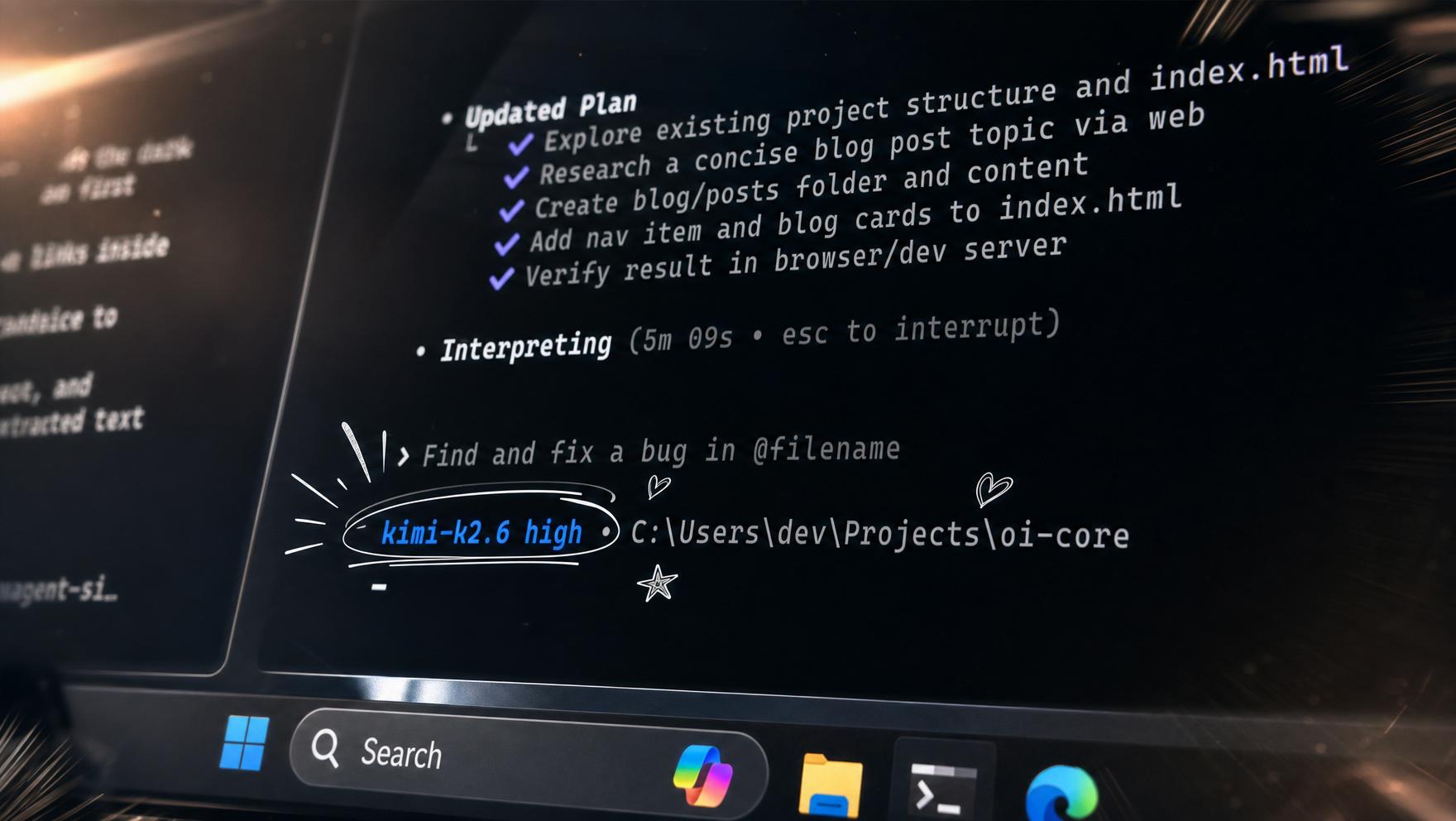
What Is Open Interpreter, Today? #
If you remember Open Interpreter as the Python “natural language coding agent” from 2023, know that the project sharing this name and star history today is a completely different codebase: a Rust rewrite, explicitly described by the project as “a fork of OpenAI’s Codex,” reaching 67,300+ GitHub stars on a repo that first started back in July 2023.
🔗 GitHub: https://github.com/openinterpreter/openinterpreter 🌐 Homepage: https://www.openinterpreter.com
Straight from the current README: “This is the new Rust version of Open Interpreter, based on Codex. Looking for the original Python project? It lives on as a community-maintained fork at endolith/open-interpreter.” Worth bookmarking that distinction before you go looking for old Python-era tutorials.
The Core Idea: Harness Emulation #
Every coding-agent product — Claude Code, Kimi Code, Qwen Code, DeepSeek TUI — has its own internal prompting and tool-calling conventions, tuned specifically to get the best results out of the model it was built for. Point a low-cost or open model at a generic agent harness, and you often leave real performance on the table.
Open Interpreter’s answer is harness emulation: switch which product’s exact conventions it emulates, per session:
> /harness

native
claude-code
claude-code-bare
zcode
kimi-code
kimi-cli
qwen-code
deepseek-tui
swe-agent
minimal
The README leads with a concrete example of why this matters: “Today: Kimi K3 is here. We have reimplemented the provider-recommended Kimi Code harness in Rust, giving you maximum K3 performance with a Codex-like interface.”
Install #
macOS / Linux:
curl -fsSL https://www.openinterpreter.com/install | sh
Windows:
irm https://www.openinterpreter.com/install.ps1 | iex
Then run i or interpreter to start a session.
Codex and ACP Compatible #
Two integration paths, both explicit in the project’s docs:
- Codex SDK drop-in — if you already build on OpenAI’s Codex SDK, switching is a one-line binary path override:
-const codex = new Codex(); +const codex = new Codex({ codexPathOverride: "interpreter" }); - Agent Client Protocol (ACP) — works in ACP-compatible editors by configuring the client to launch
interpreter acp
Portability by Design #
The project states a specific goal: don’t trap your setup in an Open Interpreter-only format. It reuses shared, tool-neutral standards where they exist — repository AGENTS.md files, shared .agents/skills directories, MCP, ACP, and the Codex exec protocol — and keeps only genuinely product-specific config and session state under ~/.openinterpreter.
Features #
| Feature | Description |
|---|---|
| Native sandboxing | Runs commands inside OS-native sandboxes on macOS, Linux, and Windows |
| Model/provider switching | /model swaps providers and models from the TUI |
| Harness switching | /harness inspects or switches the emulated Rust-native harness |
| Computer use | A built-in QA skill drives real browsers (via agent-browser) or native apps (via trycua) to test interfaces |
| ACP agent mode | Runs as an Agent Client Protocol agent for compatible editors |
| Shared conventions | Reuses AGENTS.md and .agents/skills rather than a proprietary format |
Use Cases #
1. Getting the Most Out of a Cheap or Open Model #
Switch /harness to kimi-code or qwen-code specifically when using those models, instead of accepting whatever a generic harness leaves on the table.
2. Migrating Existing Codex SDK Code #
Point existing Codex SDK integrations at Open Interpreter with a one-line path override rather than rewriting them against a new API.
3. Driving a Real Browser or Native App for QA #
Use the built-in computer-use QA skill to have the agent actually click through a web or native app rather than only editing source files.
Related Repositories #
| Repository | Purpose |
|---|---|
| endolith/open-interpreter | The original Python-based Open Interpreter project, now community-maintained separately |
| Claude Code | One of the harnesses Open Interpreter can emulate |
Related Articles #
- Orca: The ADE for Running Claude Code, Codex, and Cursor in Parallel — orchestrating multiple agents, rather than optimizing one for cheap models
- herdr: The Terminal Multiplexer Built for Running Many AI Agents at Once — another terminal-native piece of coding-agent infrastructure
Conclusion #
Open Interpreter in its current form solves a narrow, specific problem: low-cost and open models often underperform not because they’re weak, but because they’re run through the wrong agent harness. By reimplementing the exact conventions of Claude Code, Kimi Code, Qwen Code and others in a Codex-forked Rust core, it lets you match the harness to the model rather than settling for one-size-fits-all. Just don’t confuse it with the original Python project of the same name — that’s a different, separately maintained codebase now.
Best for: Developers running low-cost or open models (Kimi K3, DeepSeek, Qwen, GLM) who want the specific harness each model was tuned against, plus anyone with existing Codex SDK or ACP-based tooling looking for a drop-in alternative.
GitHub: https://github.com/openinterpreter/openinterpreter
Recommended Infrastructure for Self-Hosting #
If you’re running Open Interpreter against self-hosted or local models rather than a hosted API:
- DigitalOcean — $200 free credit for 60 days across 14+ global regions.
- HTStack — Hong Kong VPS with low-latency access from mainland China. This is the same IDC that hosts dibi8.com.
Affiliate links — they don’t cost you extra and they help keep dibi8.com running.
Last updated: 2026-07-29
💬 Discussion